How to Replace Hard Disk Backplane for 8 bay/5 bay DiskStation
Page 31 of 39
Date: 2014/4/11
Issued by: Hardware Development Group, Synology
®
Inc.
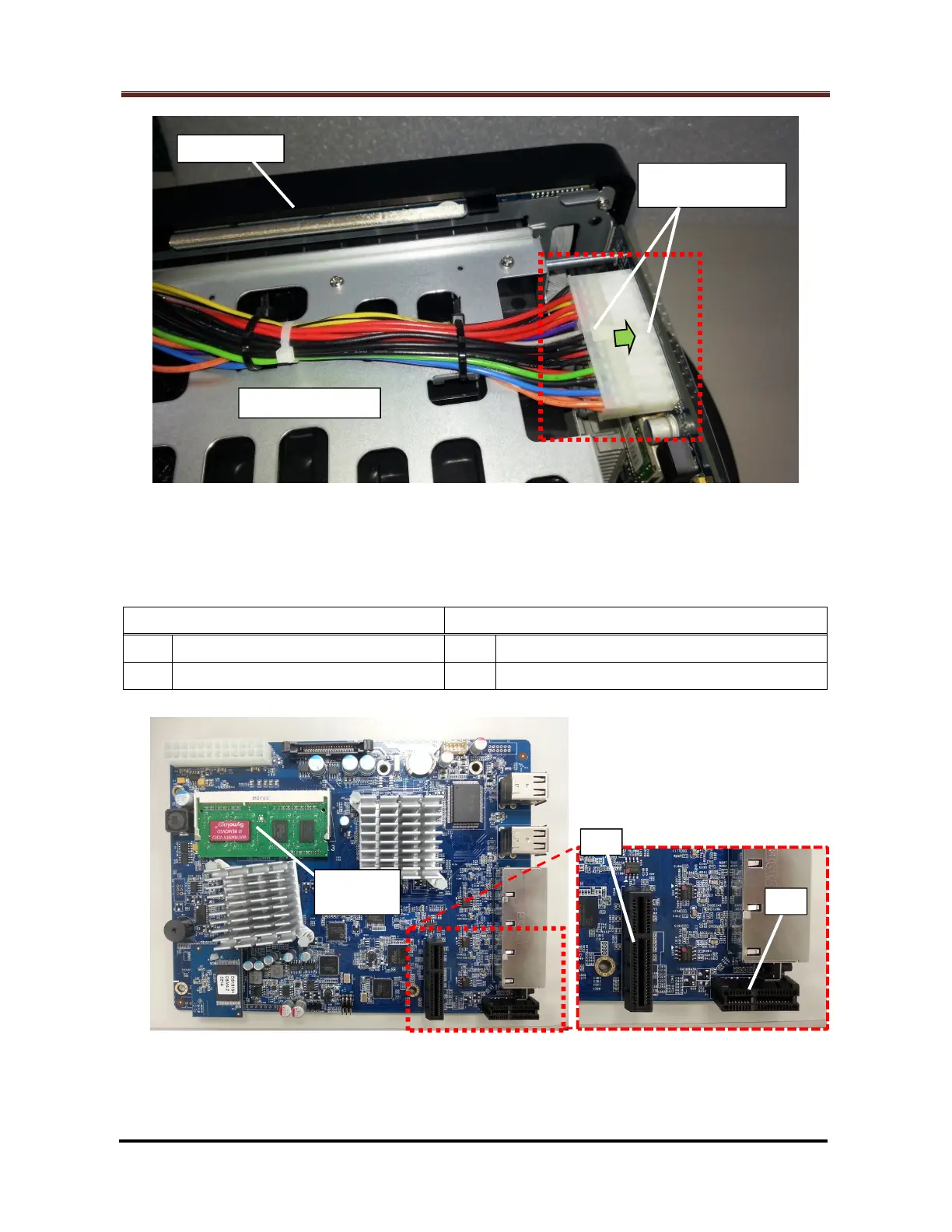
Fig. 52 - For DS1812+, DS1512+, DS1511+, DX513, DX510
2.2.8 To restore the motherboard into the enclosure, there are two (2) locations as follow
for joining the two sides:
Motherboard Side (Fig. 53) Enclosure Side (Fig. 54)
#1 PCI Express connector (Large) #2 Bonding finger of the HDD backplane
#3 PCI Express connector (Small) #4 Bonding finger of the eSATA board
Fig. 53 – Motherboard Side







 To Next Page