How to Replace Hard Disk Backplane for 8 bay/5 bay DiskStation
Page 37 of 39
Date: 2014/4/11
Issued by: Hardware Development Group, Synology
®
Inc.
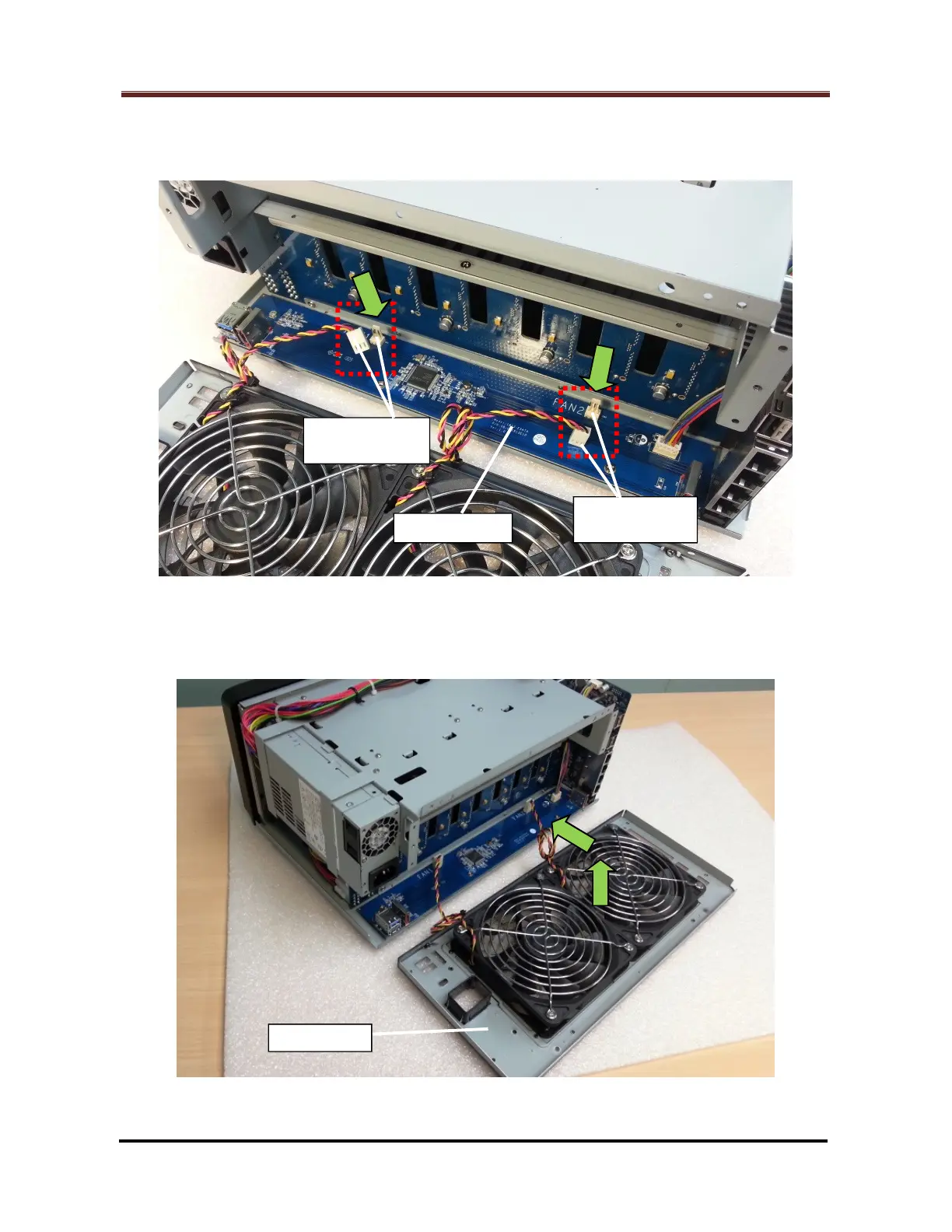
2.2.14 Plug back the two (2) fan cable connectors (Marked by the red rectangles) to their
original locations on the eSATA board. (Fig. 64)
Fig. 64
2.2.15 Restore the fan panel to the enclosure. (Fig. 65)
Fig. 65







 To Next Page