How to Replace Hard Disk Backplane for 8 bay/5 bay DiskStation
Page 38 of 39
Date: 2014/4/11
Issued by: Hardware Development Group, Synology
®
Inc.
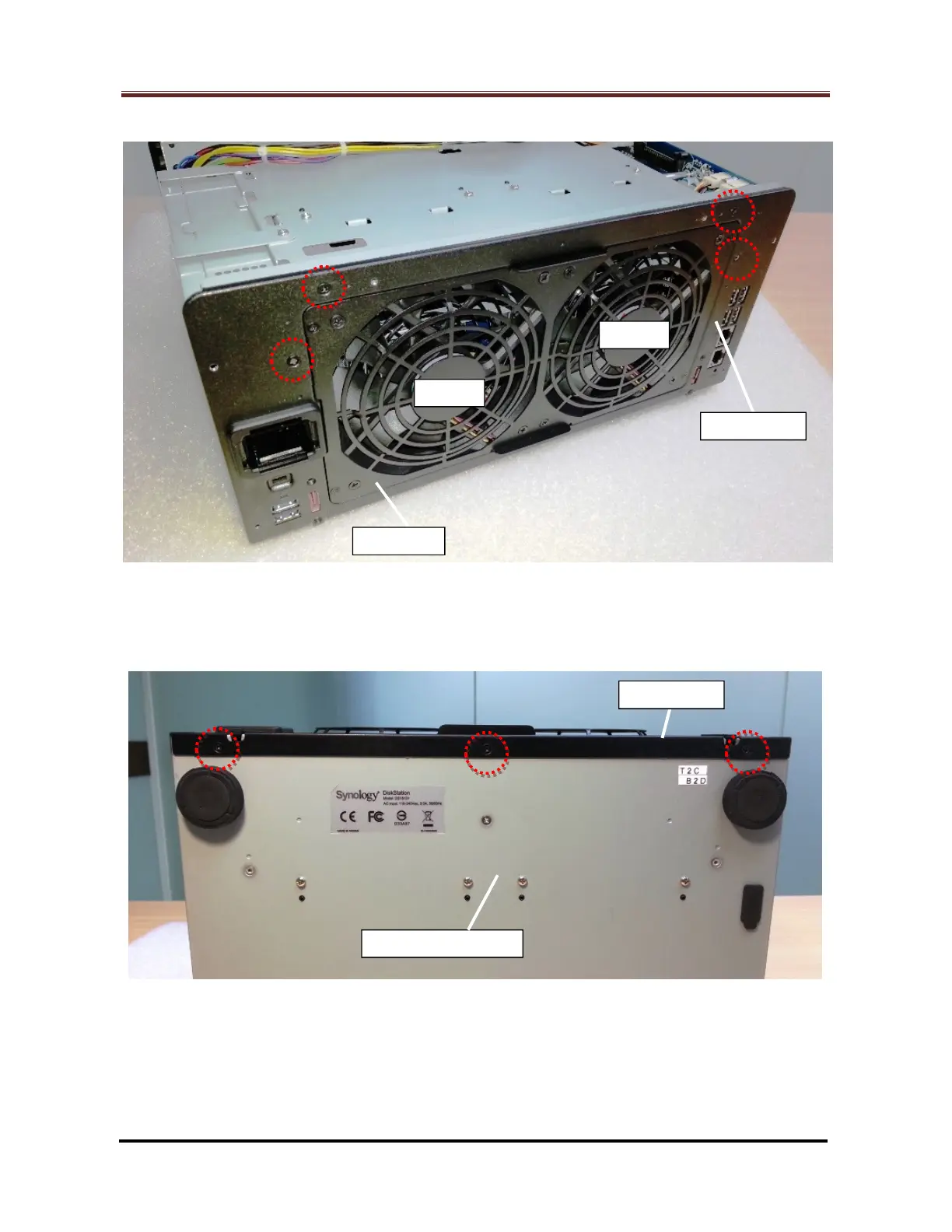
2.2.16 Fix the four (4) screws on the rear panel (Marked by the red circles). (Fig. 66)
Fig. 66
2.2.17 Fix the three (3) screws on enclosure bottom (Marked by the red circles) to secure
the rear panel. (Fig. 67)
Fig. 67







 To Next Page