How to Replace Hard Disk Backplane for 8 bay/5 bay DiskStation
Page 11 of 39
Date: 2014/4/11
Issued by: Hardware Development Group, Synology
®
Inc.
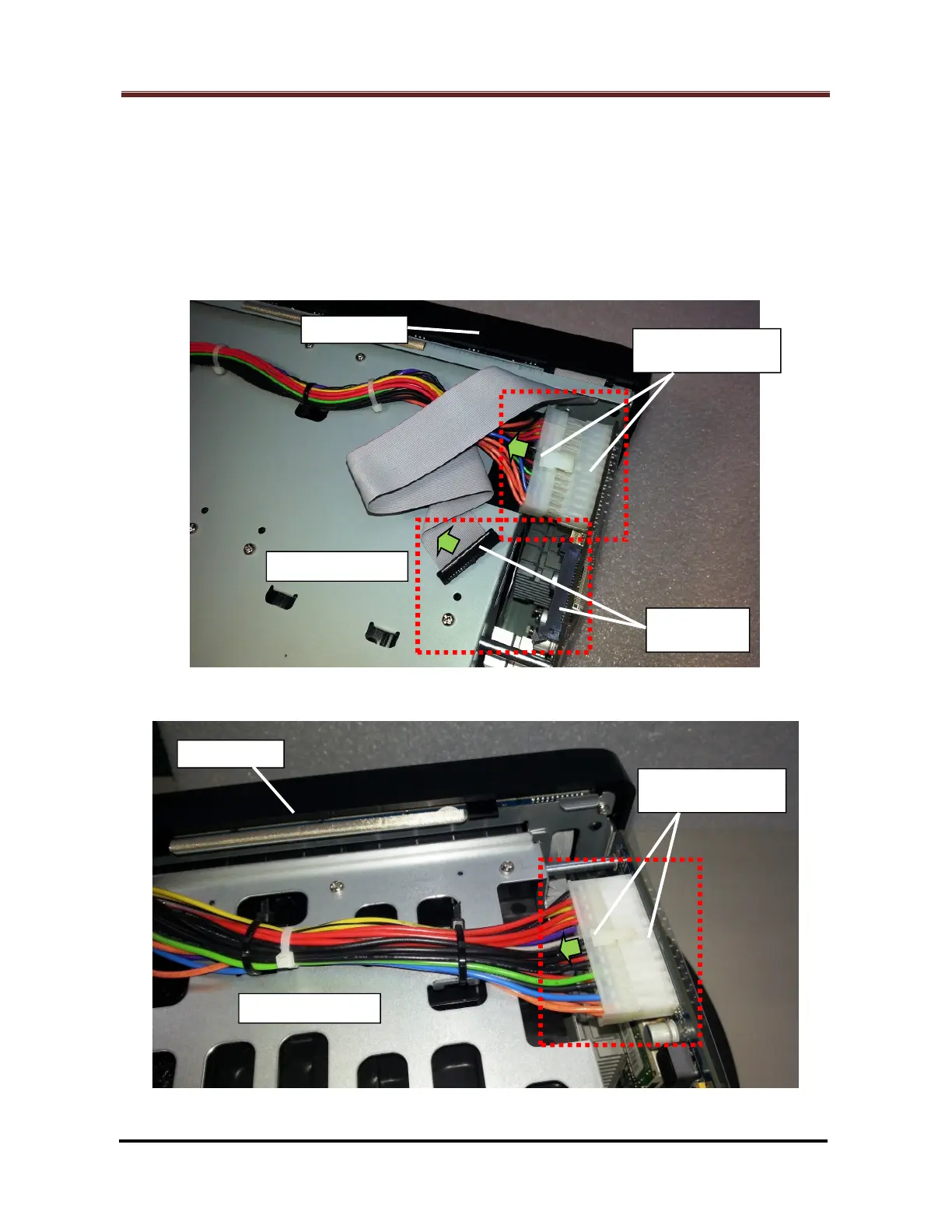
2.1.12 Unplug the 24-pin PSU cable connector and LED cable connector (Marked by the
red rectangles) from the motherboard. (Fig. 13 for DS1813+, DS1513+, DX513 (*),
Fig. 14 and 15 for DS1812+, DS1512+, DS1511+, DX513 (*), DX510)
Note: For DX513, proceed this step as shown in Fig. 13 or Fig. 14/15 by the
location of its LED cable connector.
Fig. 13 - For DS1813+, DS1513+, DX513
Fig. 14 - For DS1812+, DS1512+, DS1511+, DX513, DX510







 To Next Page