Chapter 6 Setting Up the System
CS-5100 LAS Instructions for Use
Revised October 2014
6-1
Chapter 6 Setting Up the System
This chapter explains the system settings of the instrument that can be set only when the CS-5100 is
connected to the LAS.
See the CS-5100 Instructions for Use for more details on the other system settings.
(➤ CS-5100 Instructions for Use “Chapter 4: 4.1 Setting up the system”)
6.1 [Sample Volume Check] screen
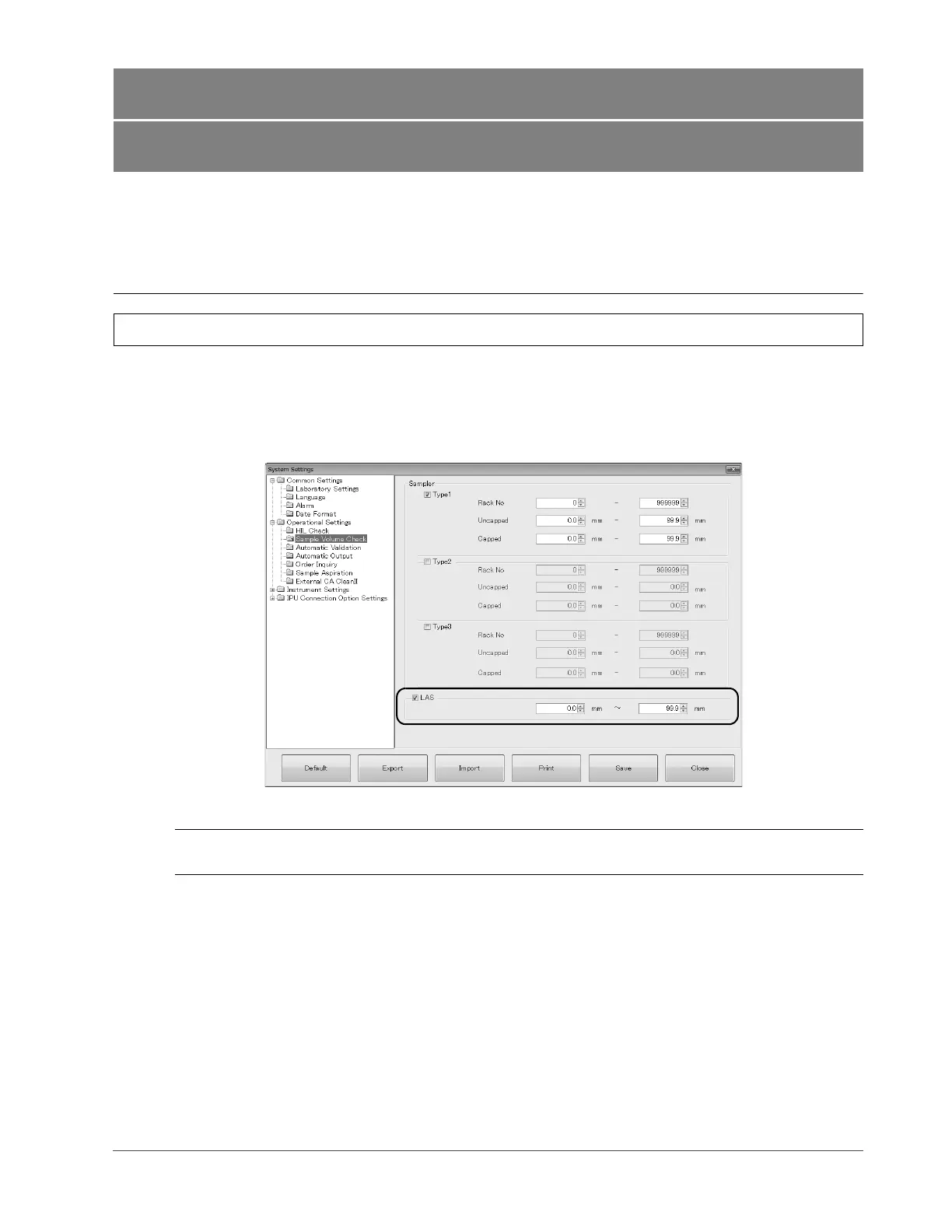
When the LAS is connected to the instrument, the following items appear on the [Sample Volume Check] screen
([Operational Settings] → [Sample Volume Check] in the [System Settings] dialog box).
See the CS-5100 Instructions for Use for more details on the [Sample Volume Check] screen.
(➤ CS-5100 Instructions for Use “Chapter 4: 4.1.7.6 [Sample Volume Check] screen”)
[Sample Volume Check] screen
[LAS] When checking the sample volume with respect to the sample on the tracks, tick this
checkbox to set the range of sample volume (liquid level).



 To Next Page