47
10.5 Display information regarding panel connec-
tion
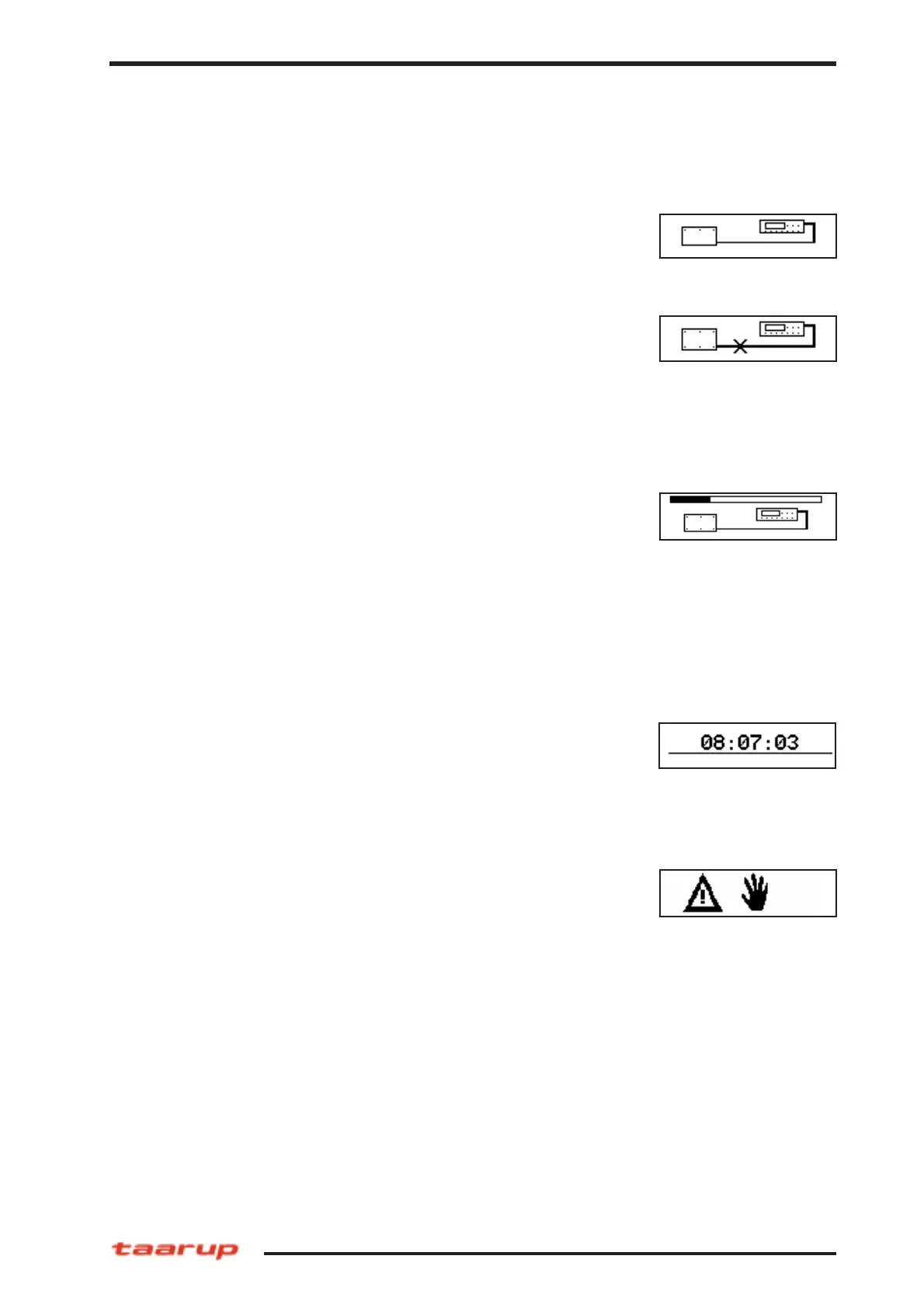
10.5.2 Connection error
If connection takes too long time, flashing screen indicates con-
nection error. After a timeout period of 6 seconds this will stop.
Might be caused by damage on cable or components. If no dama-
ges can be seen from ouside, please contact your dealer.
10.5.3 Uploading
When connection between machine box and control panel has
been established, graphical images in the control panel are chec-
ked. If not OK, or if a new version of the machine box software is
installed, the system starts to upload the graphics to the control
box. The following screen indicates this.
10.6 Idle mode
The systems starts automatically in Idle mode when powering up.
From this screen the user can access the User functions (PROG),
the Dealer functions or the Service functions. When this screen is
shown all outputs are disabled and turned off. Pressing the Manu-
al/Auto key from this screen will start the Process mode.
10.5.1 Power-up
The power-up screen indicates a correct communication between
panel and driver module.
When this screen is shown, the system is also in the Idle mode.
This situation occurs when the operator interrupts an bale proces-
sing cycle by pressing the STOP key. Pressing STOP again when
this screen shows will bring up the clock again.
Following can be accessed from this screen:
User functions
Dealer functions
Service-functions
PIA mode
Operating model C



 To Next Page