20
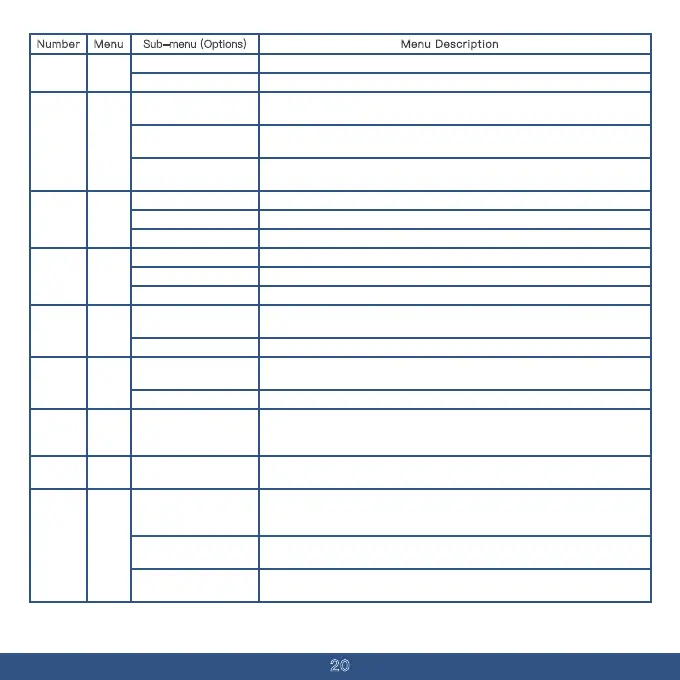
Menu Description
Number Menu Sub-menu (Options)
Enable simultaneous monitoring of two frequencies or channels.
Monitor only the main frequency or channel indicated by the MAIN icon.
OFF
ON
TDR09
10
Regardless of where the MAIN icon is selected, transmission occurs only on the TX-
A/B frequency or channel of Segment A.
Regardless of where the MAIN icon is selected, transmission occurs only on the
frequency or channel of Segment B.
OFF
A
The MAIN icon indicates which frequency or channel will be transmitted.
If【 Side Key 2 】is set to PTT B, this function is disabled.
B
In channel mode, display the channel name.Channel Name
MDF-A
11
In channel mode, display the channel frequency.Channel Frequency
In channel mode, display the channel number.
Channel Number
In channel mode, display the channel name.
In channel mode, display the channel number.
MDF-B12
In channel mode, display the channel frequency.
Channel Name
Channel Frequency
Channel Number
Turn off digital sub-tone (press 0 in the sub-tone selection list for a quick
shutdown).
Select the standard sequence of digital sub-tones using the up/down keys.
OFF
D023N~D754I
Disable digital sub-tone (press 0 in the sub-tone selection list to quickly turn it
R-DCS13
off).
Use the up/down keys to select from the standard sequence of digital sub-tones.
OFF
D023N~D754I
T-DCS14
In frequency mode, scan for analog sub-tones set by other transmitters on the
current frequency; the scan will automatically stop when one is found. (Not
available in channel mode)
Scan Activated
SCAN
CTCSS
15
In frequency mode, scan for digital sub-tones set by other transmitters on the
current frequency. (Not available in channel mode).
SCAN
Scan Activated
DCS
If using the scan for analog sub-tone or digital sub-tone function, once a sub-
tone is detected, it is automatically saved as the receive and transmit sub-tone
16
for the current frequency.
Scanning for analog or digital sub-tones will automatically save the detected
sub-tone as the receive sub-tone for the current frequency.
When scanning for analog or digital sub-tones, the detected sub-tone is
automatically saved as the transmit sub-tone for the current frequency.
All
Receive
Transmit
CDCSS
SAVE
MODE
17


 To Next Page