Tally Dascom DL-830 User Guide V1.0
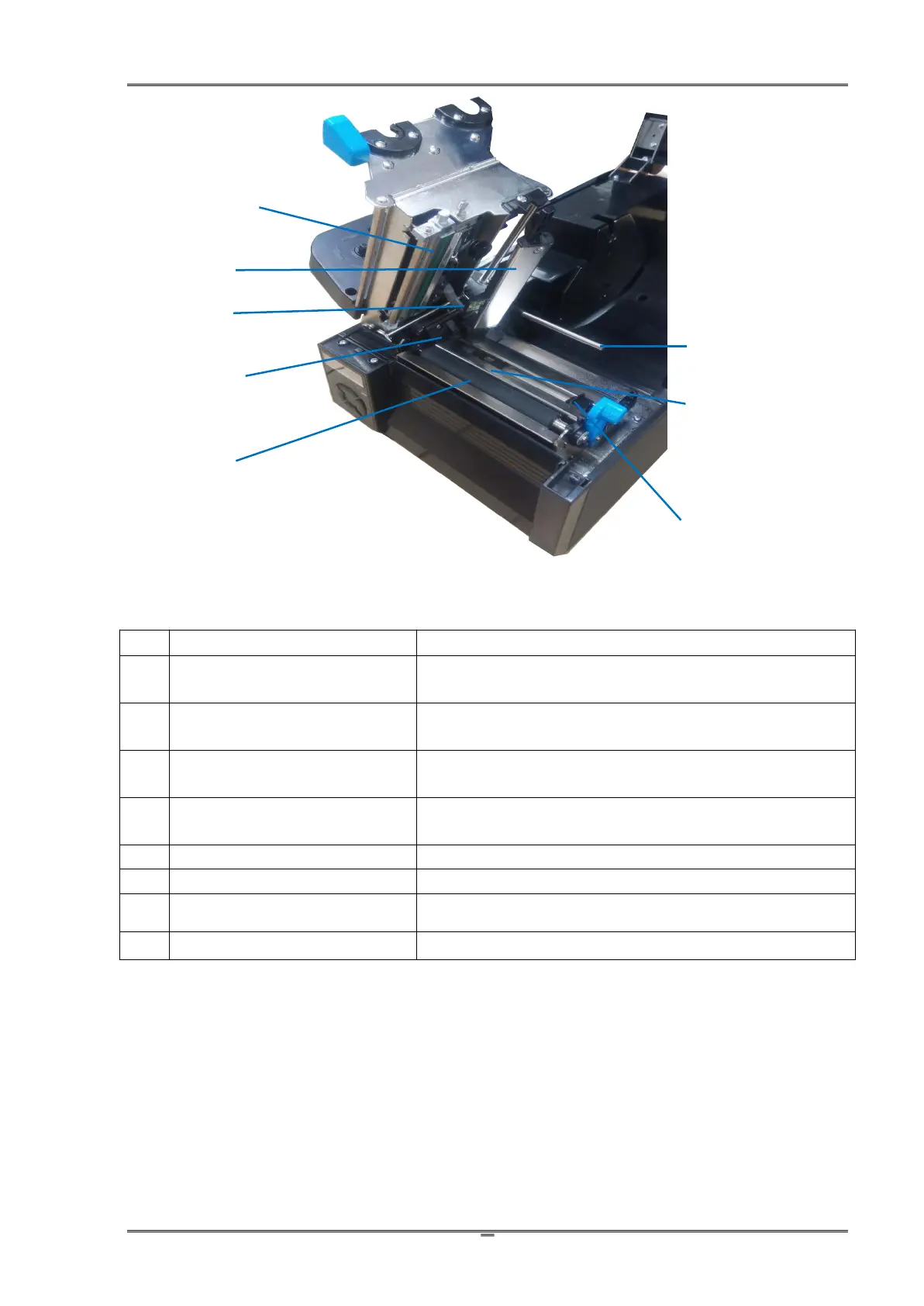
Never touch the head surface with fingers which
contaminate the head with grease or dirt.
In normal position, it guides the media feeding. Lift it up to
load media.
Media registration by identifying the notch or gap
separating adjacent tags or labels.
(Reflective) Black Mark Sensor
Media registration by identifying the black mark pre-printed
on the backside of the media.
Guard the left edge of the media.
Right Media Guide, movable
Free to move guide guarding the right edge of the media.
The friction between it and the print head drives printed
media out of the printer.
It prevents media getting curved in high speed printing.



 To Next Page