USING SETUP MODE
User's Manual5-30
CHANGING HARDWARE
OPTIONS
The HARDWRE function defines the printer’s hardware operating condi-
tions. If you are using the optional RS-232C serial interface, the serial
interface options must be set properly for the printer to function correctly
with your system hardware.
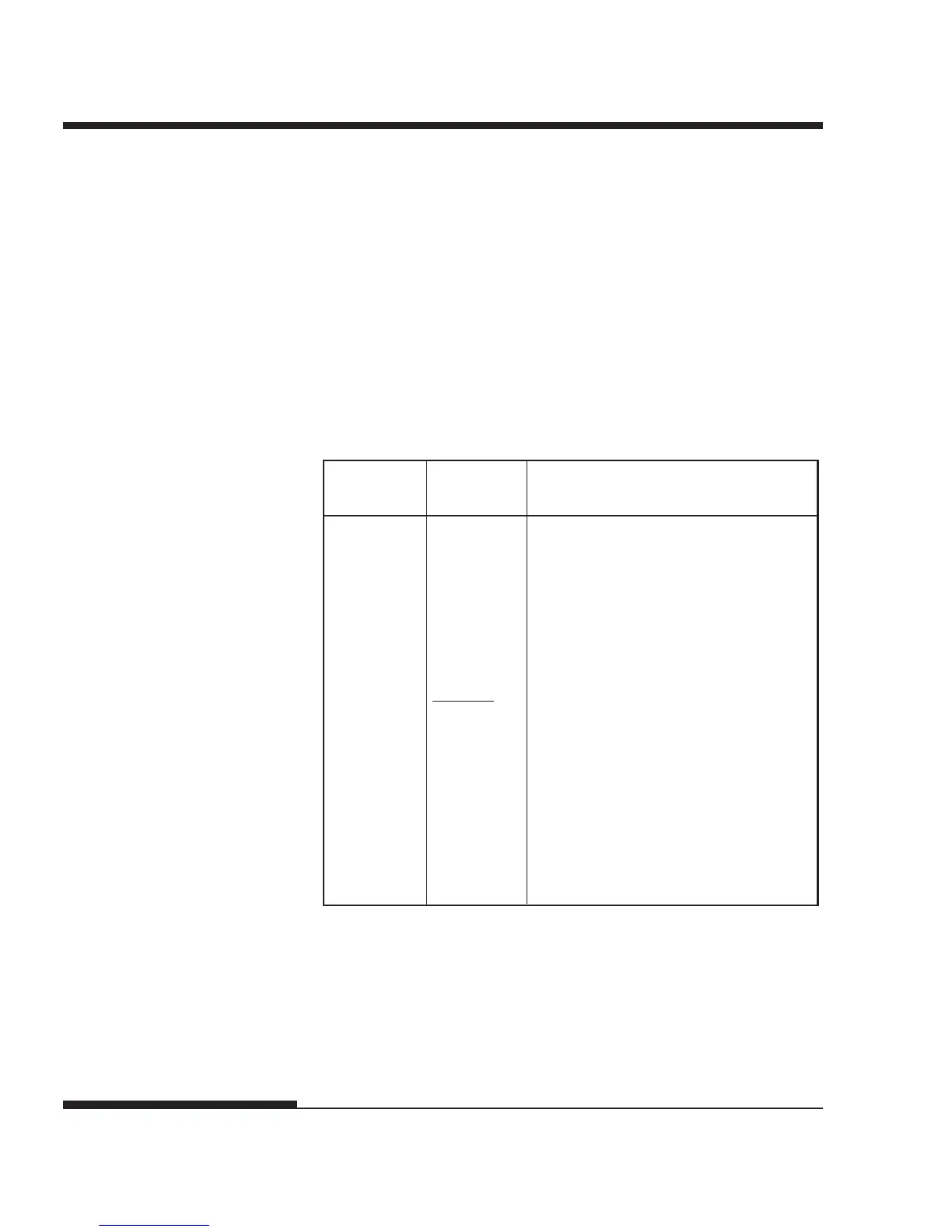
Table 5.4 describes the HARDWRE items and options . Items are listed in
the order in which they are printed. The procedure for changing the hardware
options is described after Table 5.4.
Table 5.4 HARDWRE Items and Options
NOTE: Underlined options are the factory defaults.
<PPR-OUT> Specifies how the printer responds
when you run out of paper.
CNTONLY The printer detects paper-out only
for continuous forms. Printing stops
and the PAPER OUT indicator lights
red.
DETECT The printer detects paper-out for
both continuous forms and single
sheets. Printing stops and the
PAPER OUT indicator lights red.
IGNORE The printer ignores paper-out for
both continuous forms and single
sheets. Printing continues until no
more data remains. No PAPER
OUT warning is displayed.
HARDWRE
Items
Options Description




 To Next Page