User's Manual
PAPER HANDLING
3-11
Quick
Reference
Introduc-
tion
Setting Up
Paper
Handling
Printing
Setup Mode
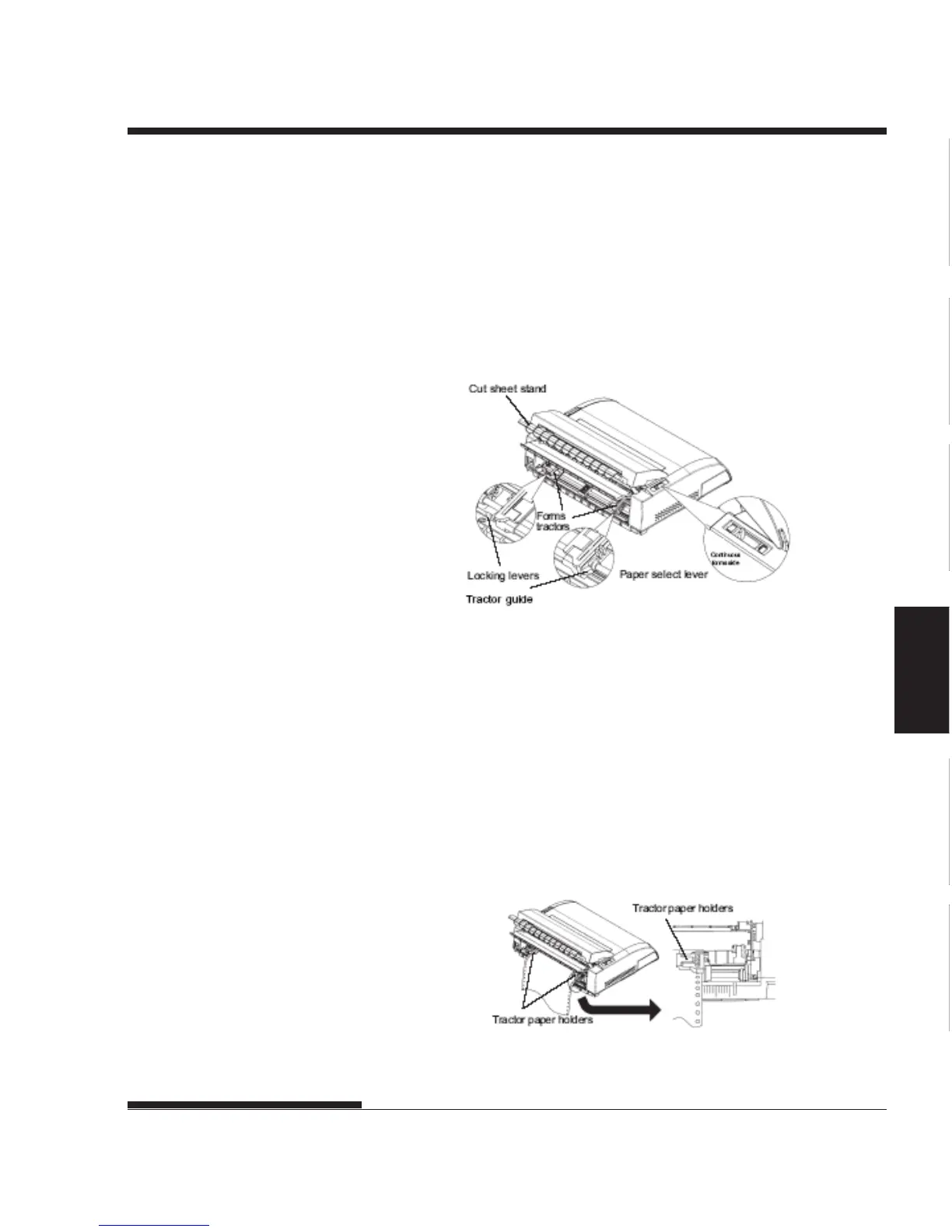
4. Release the tractor locking levers by pulling them up. Open the tractor
paper holders. See the following figure.
5. Position the right tractor (as seen from the rear of the printer). Push
the right locking lever down to secure the tractor. Center the middle
forms support.
Positioning the tractors
Adjusting the left margin
Below the right tractor, as seen from the back, there is a tractor guide, short
inch-based ruler graduated in 10 columns per inch. Use the ruler to help
position the tractor. When the paper edge is positioned to the left most line,
the left margin is approximately 12mm (0.5 inch) including perforation area.
Ajusting the left margin














 To Next Page