Setup Mode
USING SETUP MODE
User's Manual 5-57
Quick
Reference
Introduc-
tion
Setting Up
Paper
Handling
Printing
Setup Mode
3. Adjust the vertical print alignment at letter quality speed.
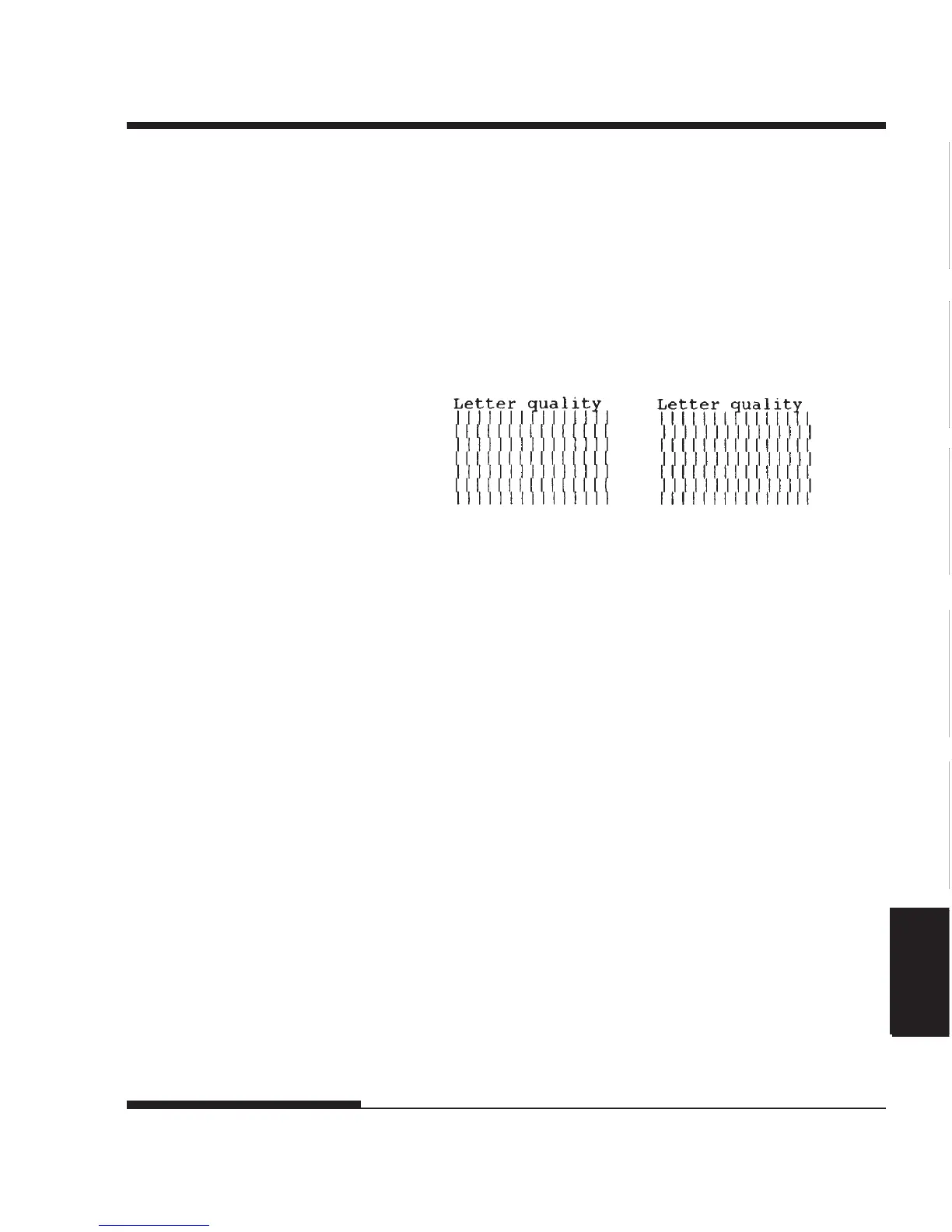
Examine the parallel bars. If the bars are aligned (not jagged), go to
step 4. If the bars are offset to the left, repeatedly press the LOAD
button until the bars are aligned. If the bars are offset to the right,
repeatedly press the LF/FF button until the bars are aligned. (In the
following figure, the first line is assumed to be printed from left to
right.)
Bars offset to the left Bars offset to the right
4. Adjust the vertical print alignment at correspondence speed.
Press the TEAR OFF button to switch from letter speed to corre-
spondence speed.
Examine the parallel bars and adjust the vertical print alignment as
described step 3.
5. Adjust the vertical print alignment at draft speed.
Press the TEAR OFF button to switch from correspondence speed to
draft speed.
Examine the parallel bars and adjust the vertical print alignment as
described step 3.
6. Exit the V-ALMNT function.
Press the ONLINE button to exit the V-ALMNT function and save
the new vertical alignment settings. The printer exits setup mode and
returns online.




 To Next Page