User's Manual6-6
MAINTENANCE
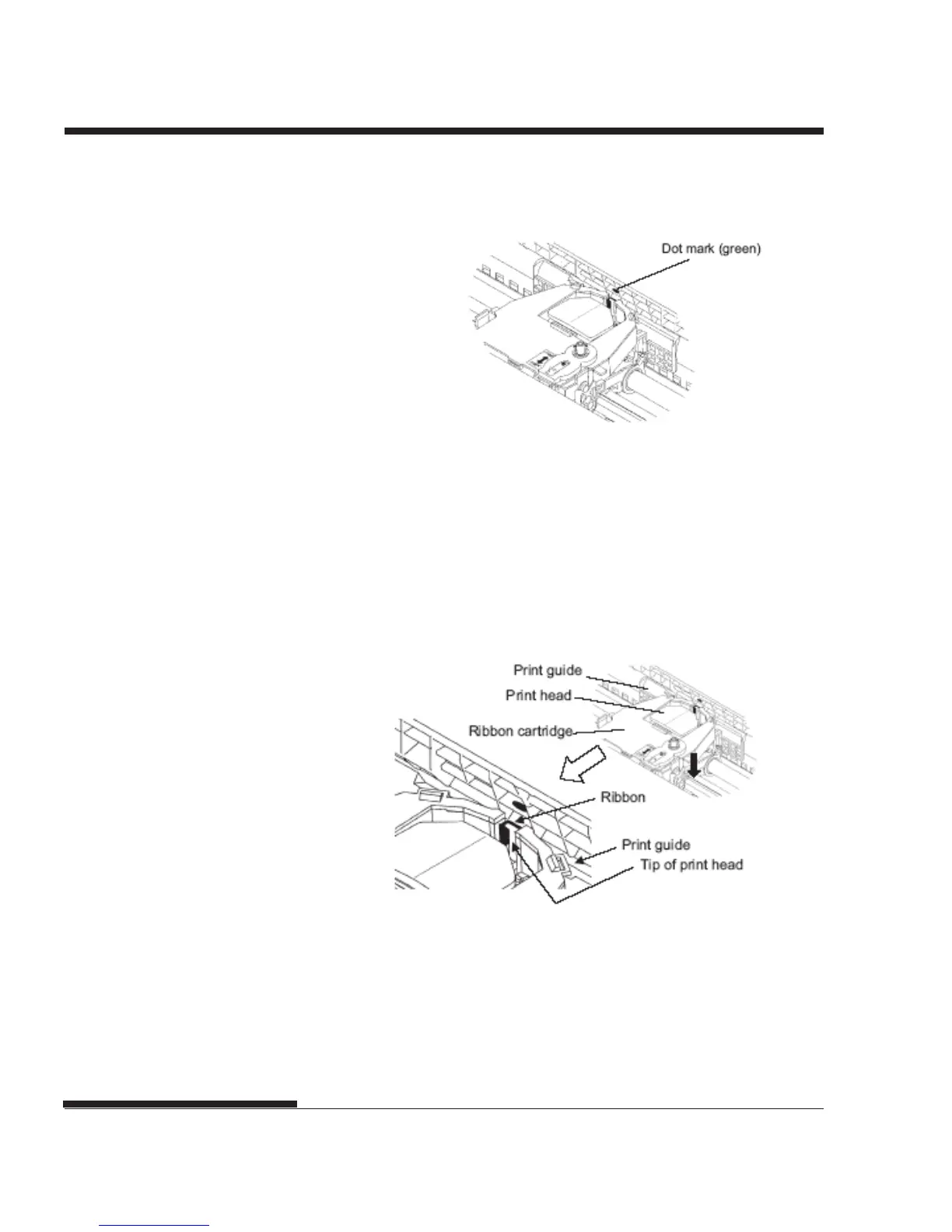
9. Align the print head position with the dot mark (green) on the printer
ejection cover.
WARNING
Avoid touching the print head while using or immediately after using
the printer, as doing so may lead to burns. Wait until the print head
cools down before touching it.
10. Thread the ribbon between the print head and the print guide, then
gently press down on the ribbon cartridge against the printer until it
clicks into place.
(Make sure that the ribbon feed knob is facing upward.)
11. Turn the ribbon feed knob clockwise to take up any ribbon slack.
12. Move the paper thickness lever back to its original position. For
single sheet printing, the correct position is 1. Table 3.2 in Chapter 3
gives other paper thickness lever settings.
13. Close the front cover of the printer.














 To Next Page