SETTING UP
2-20 User's Manual
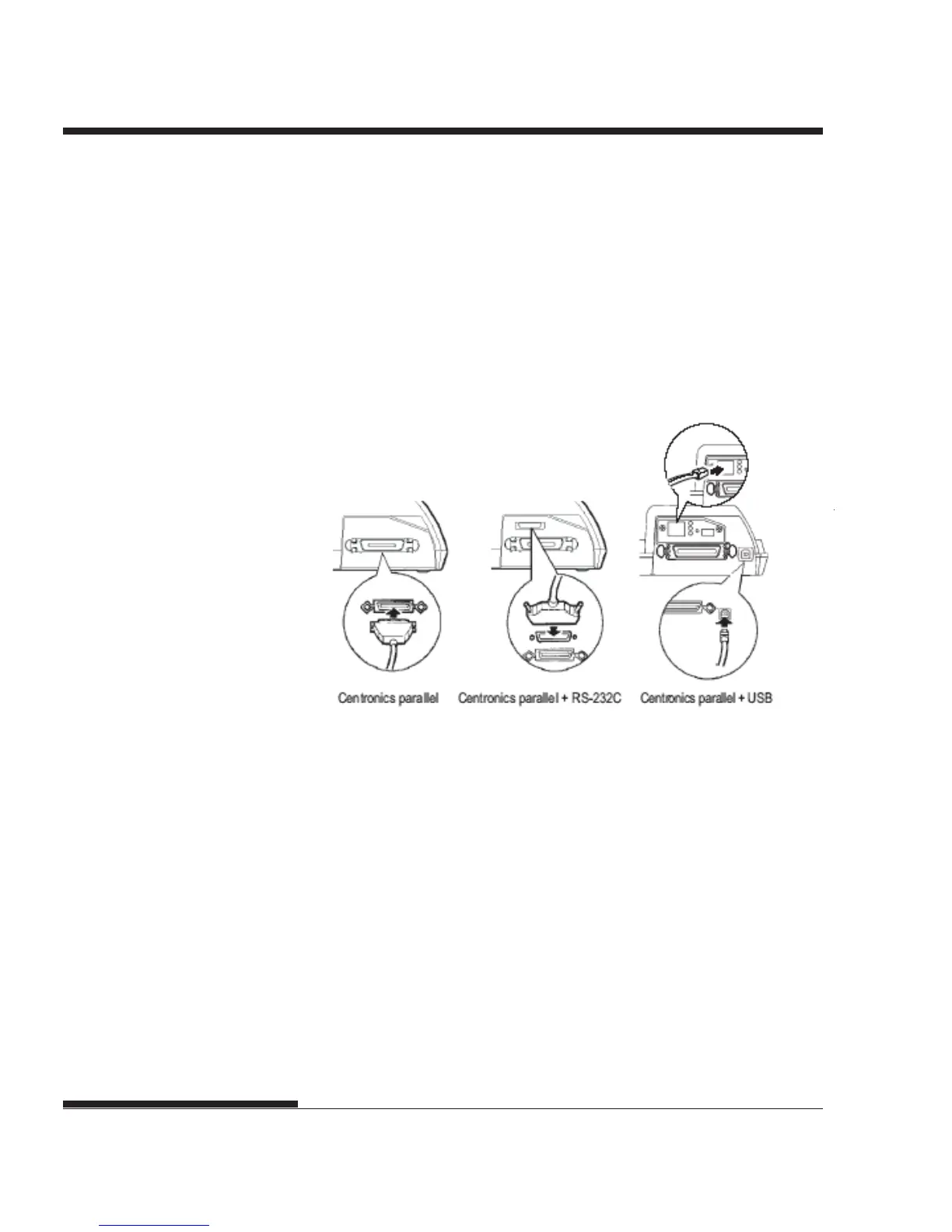
4. To secure a parallel interface cable, flip the fastener clips located on
the printer into the notches on the cable connector. To secure a serial
interface cable, tighten the screws in the cable connector.
5. Attach the other end of the interface cable to your computer.
Gently pull on the cable to verify that it is secure.
6. Close the shutter.
Connecting the interface cable
3. Attach the interface cable to the connector.
Do not connect more than
one interface cable type to the printer at the same time.
To reattach the shutter, tilt the shutter and insert one of its convex parts
into the installation hole of the printer, and then insert the other part in
the other hole. After inserting both convex parts, lower and push the
shutter in to its original position.














 To Next Page