16
(Channel ---> Auto Scan, Channel List & Fine Tune)
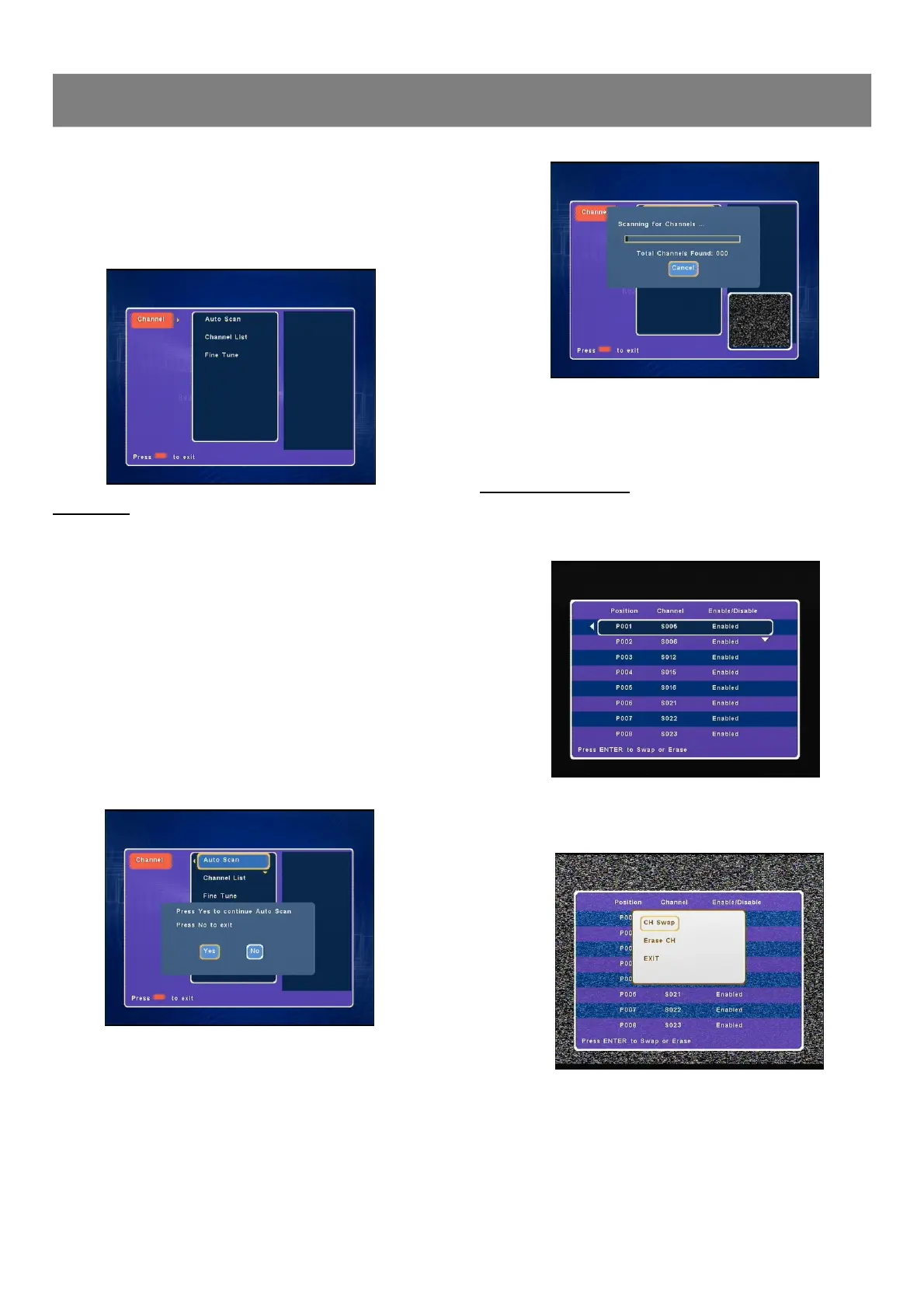
1. Press Channel , “Channel ”screen appears on the TV screen.
2. Press Enter or4, “Auto Scan ”is highlighted.
3. Press 5/6 repeatedly to select the item.
Auto Scan
Auto Scan is a tuner search and allows a channel to be confirmed.
During initial setup, this DVD Recorder will select available TV
channels. Yet, if more channels become available in your area, you
may need to repeat the Auto Scan to update the available channels.
Notes:
n While doing Auto Scan, it will erase and replace all previously
stored channels.
n Before doing Auto Scan, make sure your TV connections has
been made properly.
n For Details on how to make TV connection to your DVD Re-
corder, please refer to the Basic Connection.
1. Select “Auto Scan ”.
2. Press Enter or4, a message screen appears.
“Yes ”is highlighted.
Note: If you want to cancel it, press4to select “No”, and
then press Enter.
3. Press Enter, auto memory channel scanning screen appears
and starts to memorize all the channels available in your area.
1-2 Channel Setup
Note: The recorder will auto enter into TV mode after auto
scanning all channels.
Channel List Setting
1. Select “Channel List ”.
2. Press Enter or4, “Channel List” screen appears.
3. Press 5/6 to select the channel you want to edit, and then
press Enter,the edit menu appears on TV screen.“CH Swap” is
highlighted.



 To Next Page