30
Edit function can ONLY work on DVD+/-RW or DVD+/-R discs. Once
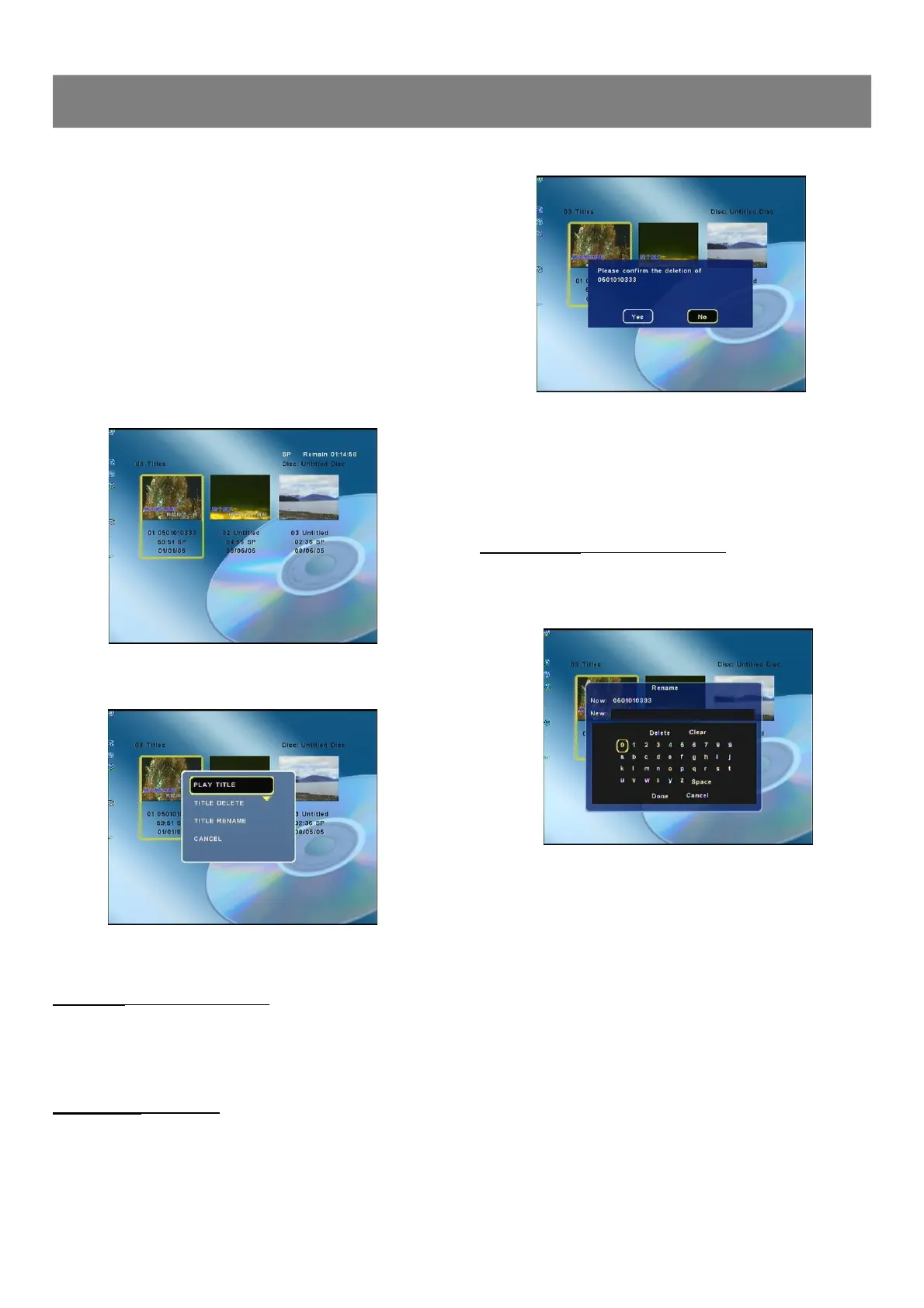
you insert a DVD+/-RW or DVD+/-R disc, a title menu appears on the
screen. All the video clips you have recorded will be shown on this
menu as different titles.
n Name of the recording. If the TV station does not transmit a name,
only the channel number and time will be stored as the name.
n Length of the recording.
n Recording quality.
n Date of the recording.
1. Insert a recorded DVD+/-RW or DVD+/-R on the disc tray. Press
Play/Pause after the disc is loading. The Index Picture screen
appears on the TV screen.
2. Press 3/4 to highlight the title which you want to edit.
3. Press Edit, the edit screen appears.
4. Press 5/6 to select the item.
Play Title ( DVD+/-RW & DVD+/-R )
Select “PLAY TITLE ”, then press Enter , the selected title starts
playback.
Title Delete ( DVD+/-RW )
1. Select “TITLE DELETE ”, then press Enter , a message
appears.
2-3 Editing
2. Press3 to to select “Yes ”.
Note : If it is not necessary, select “No” and then press Enter.
3. Press Enter , then please wait until “PLEASE WAIT...”
disappears on the TV screen.
n The title menu (with “DELETED ”) screen returns.
Title Rename ( DVD+/-RW & DVD+/-R )
1. Select “TITLE RENAME ”, then press Enter , “Rename”
screen appears.
2. Press 3/4/5/6to select the letter or number , then press
Enter , the character appears in the box.
3. Repeat step 2 to make the new title name (up to 10 characters).
Note :If it is not necessary, select “Cancel ” and press Enter.
If you make a mistake, select “Delete ” or “Clear ”, and
press Enter.
n Delete : Every time Enter is pressed, the last character of the
title name is deleted.
n Clear : Enter is pressed, the title name is cleared at once.
4. Press6to select “Done ”, then press Enter , wait until
“PLEASE WAIT...”disappears on the TV screen.
n The title menu (with “RENAME ”) screen returns.
5. To exit , press Edit.



 To Next Page