15
Setting Auto Scan
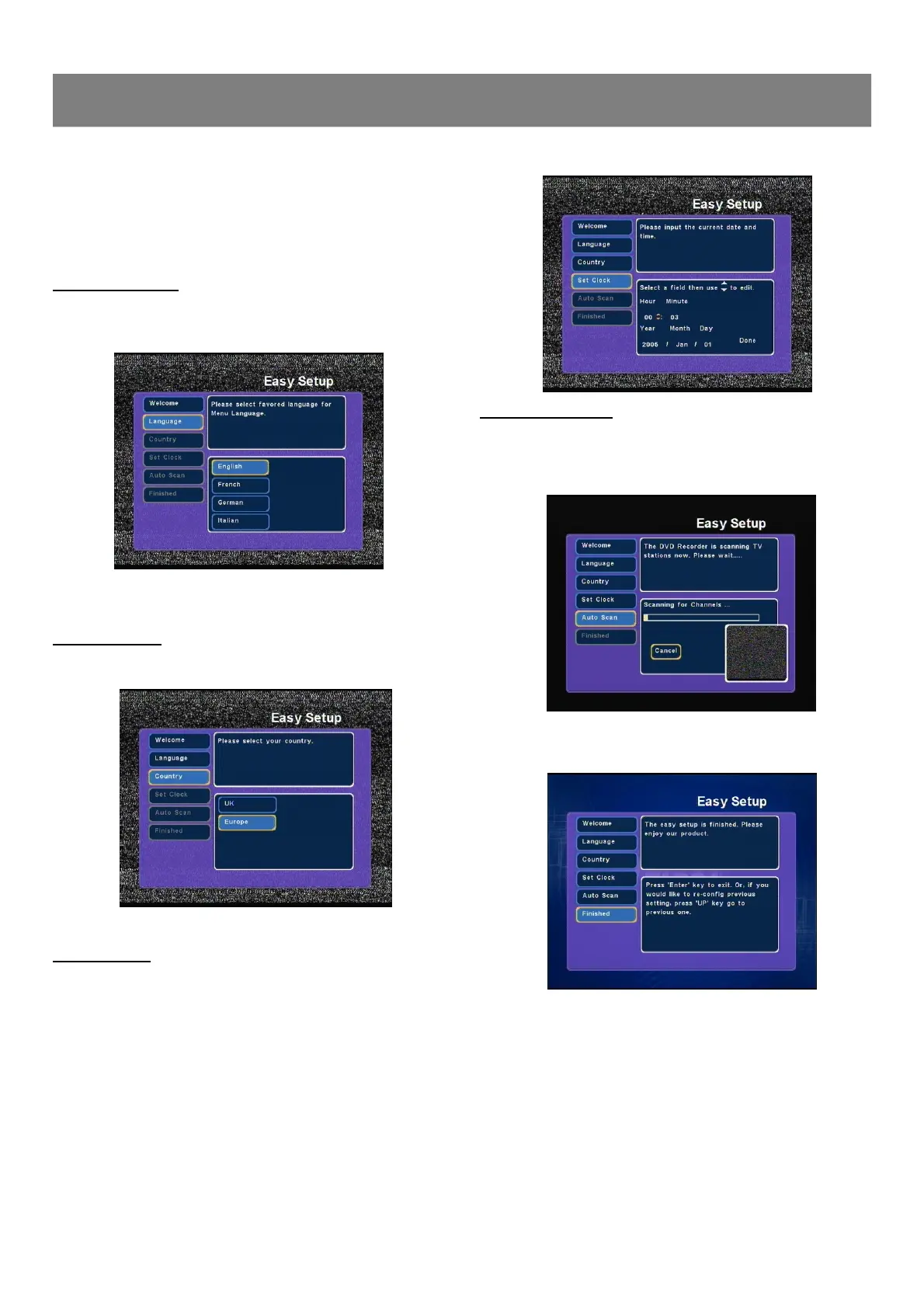
1. Select “Auto Scan ”.
2. Press Enter, auto memory channel scanning screen appears
and starts to memorize all the channels available in your area.
Note: If you don't want it, press Enter to cancel.
3. Please wait and “Finished ”is highlighted when the scanning is
finished.
4. Press Enter to finish the initial setup and enter monitor mode.
Turn on your TV then turn on the recorder. The TV should
show the EASY SETUP guide. If this does not show then
press the AV button on your TV until the Picture shown below
is seen.
Select Language
1. “Easy Setup ”screen appears on the TV screen, press Enter
to confirm,“Language ”is highlighted.
2. Press5/6 repeatedly to select language then press Enter to
confirm,“Country ”is highlighted.
Select Country
1. Select “Country ”, and press5/6 repeatedly to select country.
2. Press Enter to confirm,“Set Clock ”is highlighted.
Setting Clock
1. Select “Set Clock ”and press Enter.
2. Press3/4/5/6 repeatedly (or number buttons) to set the
date and time.
3. Press4to select “Done”, and then press Enter ,
“Auto Scan ”is highlighted and begin to auto scan channels.
1-1 Initial Setting



 To Next Page