19
Finalize Disc Setting (DVD+/-R)
After you finalize the disc, you can play the disc on other DVD
players. It can be used as DVD-Video disc. But it is not guaranteed.
CAUTION :
After you finalize a DVD+/-R disc, you cannot edit or record on
the disc. Finish all the editing before you start to finalize the disc.
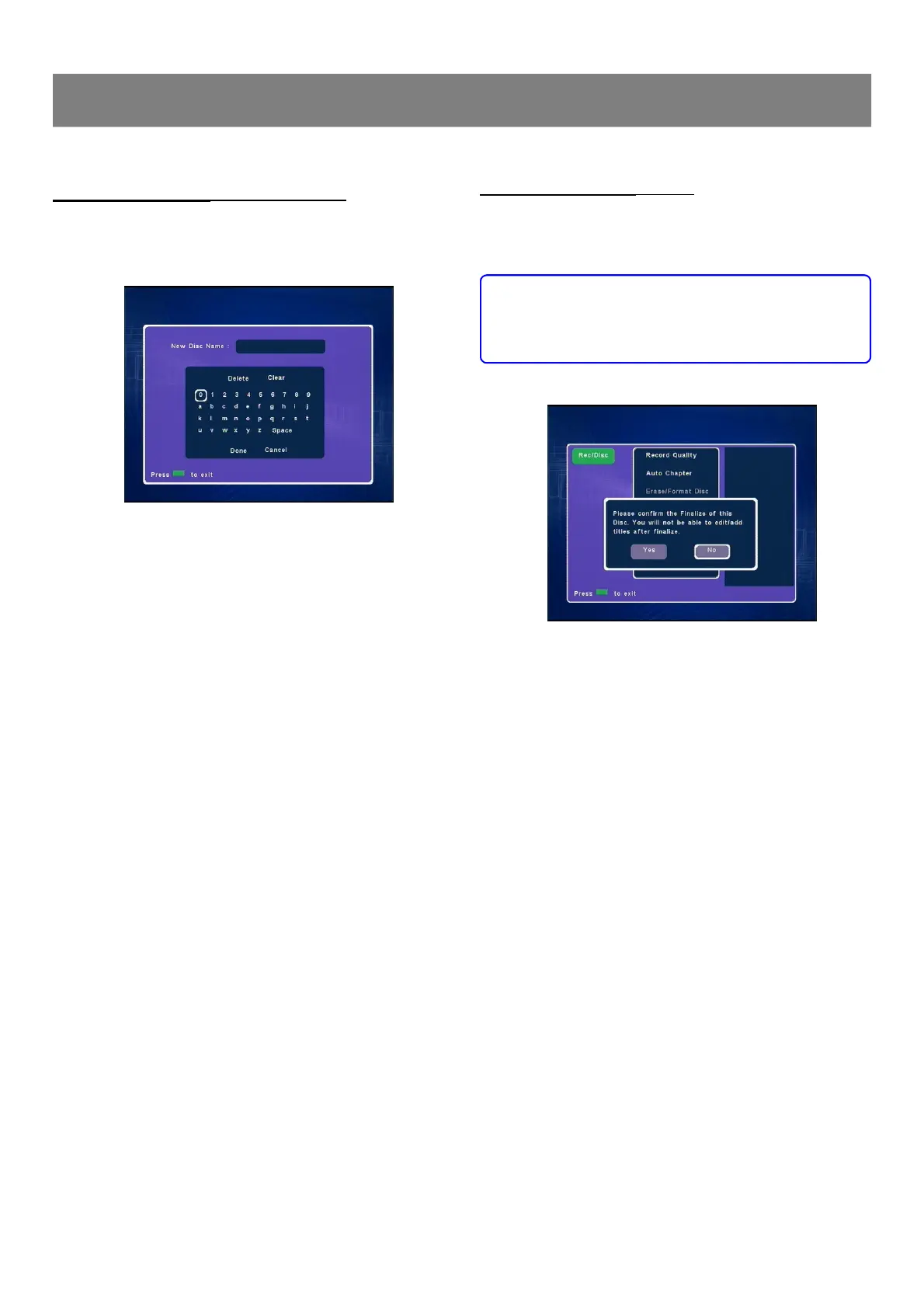
1. Select “Finalize Disc ”then press Enter, a message appears.
2. Press3 to to select “Yes ”.
Note : If it is not necessary, select “No” and then press Enter.
3. Press Enter to start to finalize, then please wait until finalizing
is finished. “Menu ” screen returns.
Notes :
n This unit may not be able to finalize the disc if it was recorded
on other DVD recorders or PCs.
n You do not need to finalize the disc again once the disc has
been finalized with this unit.
n Depending on the condition of the disc, recording, or the unit,
discs may not be played even if the discs are finalized.
Rename Disc Setting (DVD+/-RW & DVD+/-R)
You can enter up to 10 characters for a disc name.
1. Select “Rename Disc ”, then press Enter,“New Disc Name”
screen appears.
2. Press 3/4/5/6to select the letter or number , then press
Enter , the character appears in the box.
3. Repeat steps2 to make the new title name (up to 10 characters).
Note: If it is not necessary, select “Cancel ” and press Enter.
If you make a mistake, select “Delete ” or “Clear ”, and
press Enter.
n Delete : Every time Enter is pressed, the last character of the
title name is deleted.
n Clear : Enter is pressed, the title name is cleared at once.
4. Press6to select “Done ”, then press Enter , wait until
“Rename disc. Please wait....”disappears on the TV screen.
“Menu ”screen returns.
1-3 Record/Disc Setup (continued)



 To Next Page