28
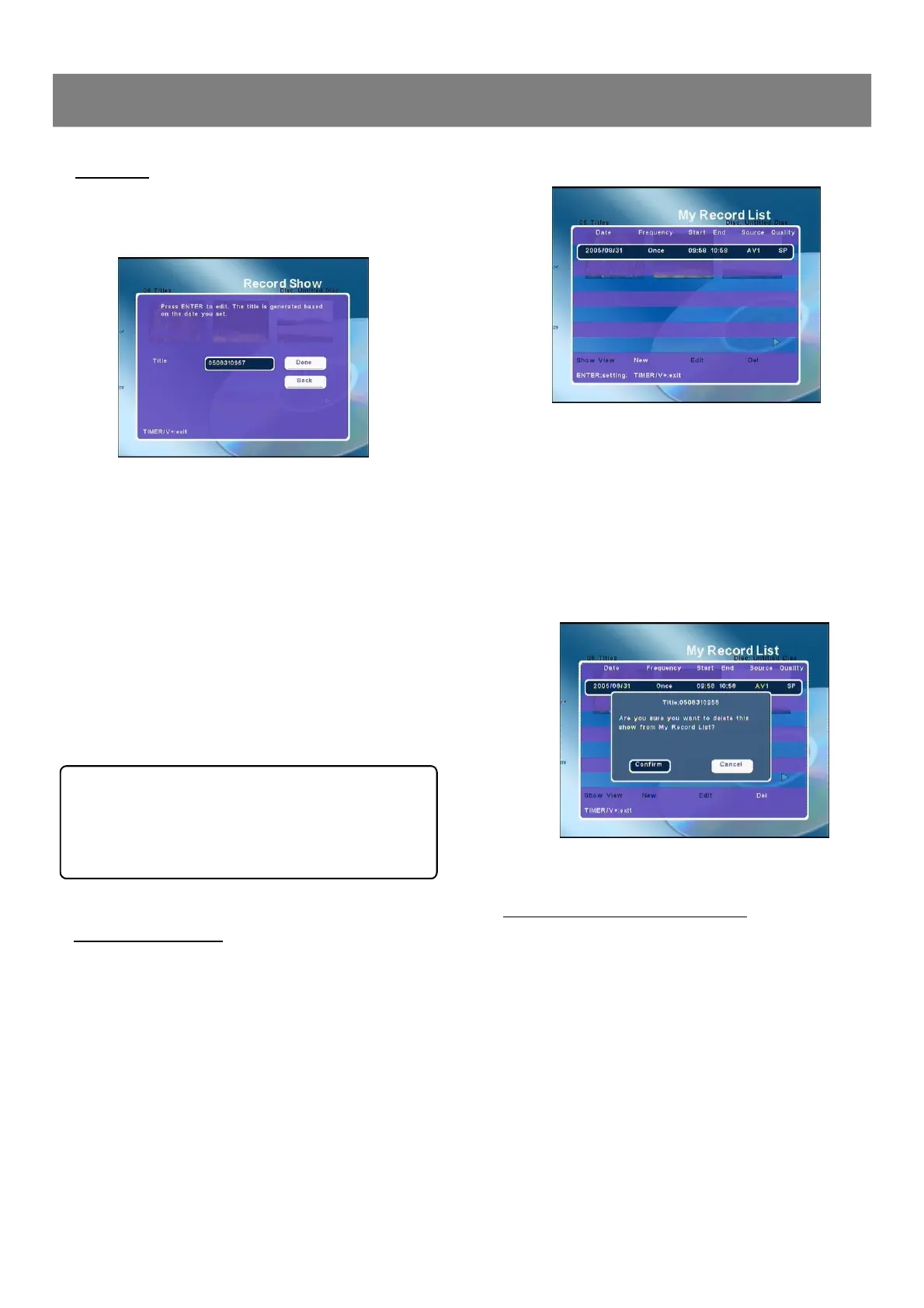
If the list is correct:☆
n Press Timer/V+ to exit.
If you want to edit it:☆
n Press 5/6 to select the item you want to edit.
n Press 3/4 to select “Edit ”.
n Press Enter, “Edit My Record List ” screen appears.
If you want to delete it.☆
n Press 5/6 to select the item you want to delete.
n Press 3/4 to select “Del ”.
n Press Enter, a message appears on the screen.
n Select “Confirm ”to delete the item. If you do not want,
select “Cancel ”.
3. Press STANDBY to turn the power off.
Recording standby mode is set.
n The present time appears on the FL display.
n When the timer ON time arrives, the power turns on automati-
cally and recording starts.
n When the timer OFF time arrives, the power turns off automa-
tically and it is set to the standby mode.
Notes :
n If there is not enough space on the disc, as much of the prog-
ram as possible will be recorded on the disc.
n Be sure to check and/or change the disc after every timer re-
cording has been completed.
2-2 Recording (continued)
Timer Recording ( continued )
3. Press Enter again, new title screen appears
4. Press 3/4/5/6 to select the letter or number, then press
Enter.
5. Repeat step 4 to make a title name (up to 10 characters).
Note : If you make a mistake, select “Delete ” or “Clear ”,
and press Enter.
n Delete : Every time Enter is pressed, the last character of the
title name is deleted.
n Clear : Enter is pressed, the title name is cleared at once.
6. Press 6to select “DONE ”, then press Enter , title screen re-
turns. The new title name appears.
7. Press 4to select “DONE ”, then press Enter , The
“Record Show”screen returns.
After all the item setting are completed , press
6to select “Done ” and then press Enter key.
( If you want to cancel it, select “Cancel ” and
then press Enter key.)
2. Edit My Recording List
(1) Press Timer/V+, “My Record List ”screen appears
Setting Title
1. Select “Title ”.
2. Press Enter , title screen appears.



 To Next Page