Powering the unit
The DR-07 can be operated using two AA batteries
or an optional AC adapter (PS-P520). This unit can
use alkaline or Ni-MH batteries.
When using batteries to power the unit, use the
BATTERY TYPE item on the SETUP screen to set
the type of batteries you are using (see “Select
the type of batteries” on page 77).
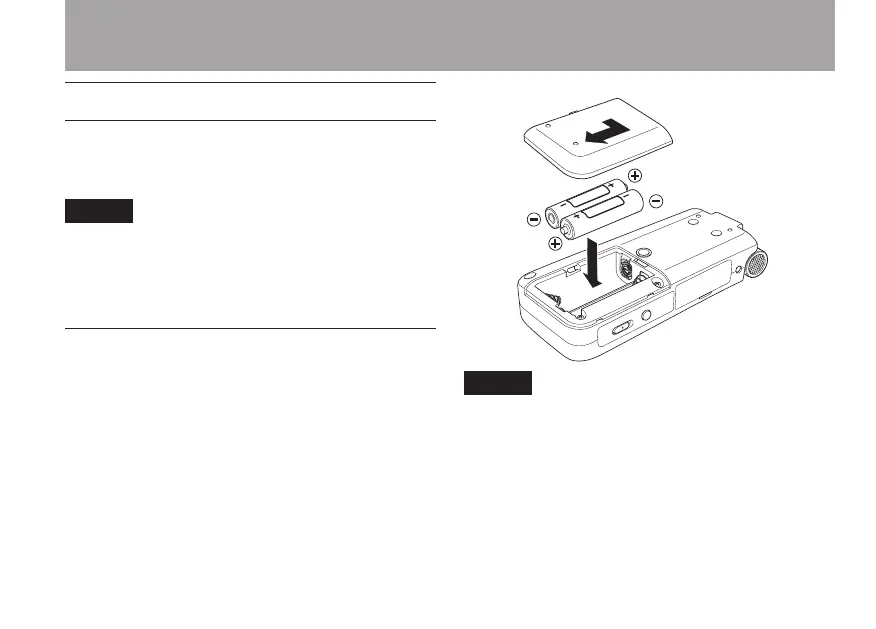
Installing the batteries
Slide the battery compartment cover on the back of
the unit to open it, and insert the two AA batteries
(supplied) observing the battery polarity (+ and –)
marked in the battery compartment.
The included alkaline batteries are for confirm-
ing operation of the unit and might not last very
long.
2–Preparation



 To Next Page