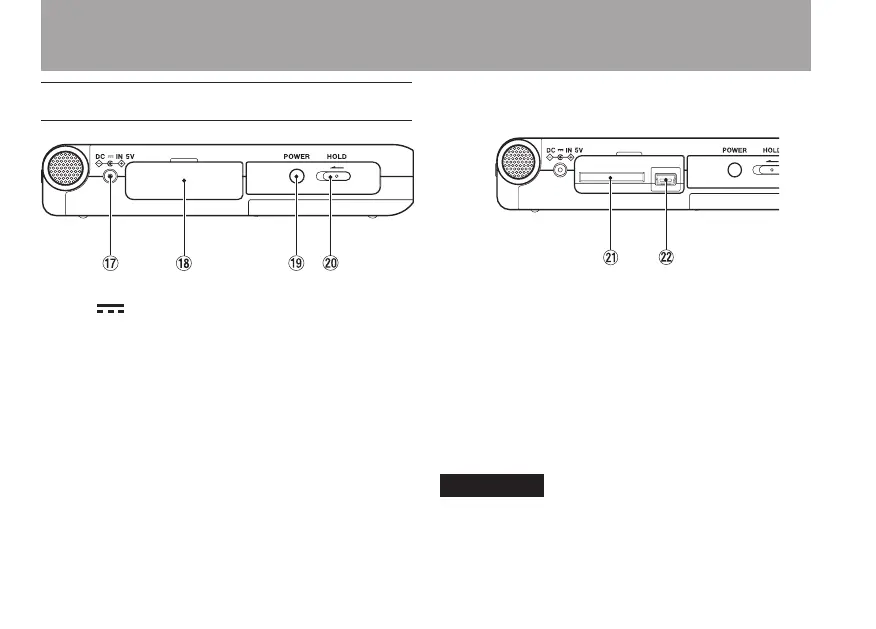
Left side panel
u DC IN 5V jack
Connect a TASCAM PS-P520 AC adapter
(purchased separately) to this jack. Do not
connect other adapters.
i SD card slot lid
o POWER key
Press and hold this key to turn the unit’s
power ON and OFF.
p HOLD switch
Slide this to the left to turn the hold function
ON. All keys are inoperative when hold is ON.
[When the card slot cover opened]
a SD card slot
Insert an SD card into this slot. (See “About
SD cards” on page 12.)
s USB port
Use the included USB cable to connect with a
computer USB port. (See “Connecting with a
computer” on page 41.)
Please connect the unit directly to a
computer without using a USB hub.
3–Part Names and Functions



 To Next Page