In addition to using the built-in microphone, you
can record using an external microphone or record
the output signal from a mixer or other audio
source. You can select among MP3 (44.1/48 kHz,
32–320 kbps) and WAV (44.1/48 kHz, 16/24-bit)
audio recording formats.
Selecting the file type and sampling
frequency
Select the audio le type that you want to record
before you start recording.
1 Press the MENU key to open the Menu
Screen.
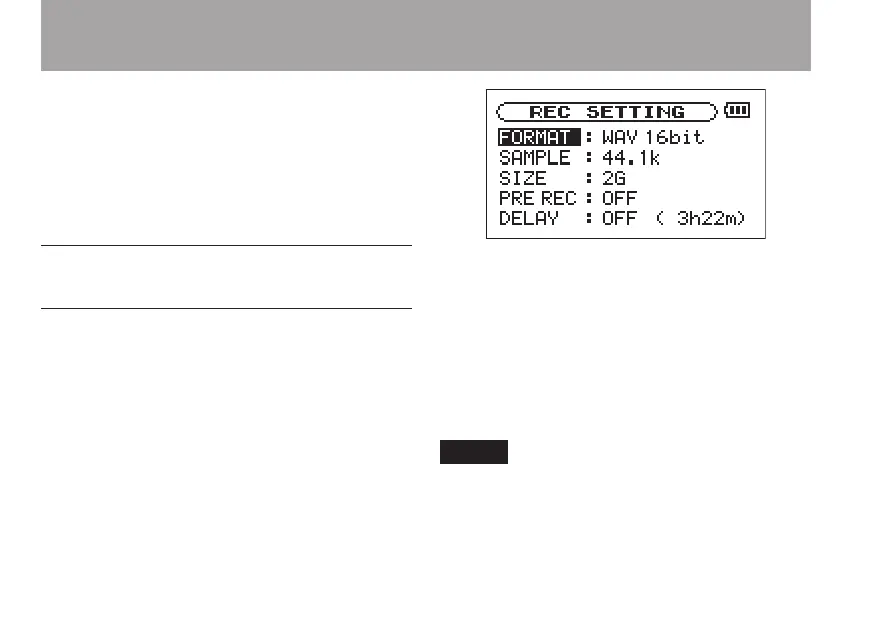
2 Select the
REC SETTING
item to open the
Recording Settings Screen.
3 Use the
FORMAT
item to select the file type
from the following options: WAV at 16-bit
(factory setting) or 24-bit, or MP3 at 32
kbps, 64 kbps, 96 kbps, 128 kbps, 192 kbps,
256 kbps, or 320 kbps.
4 Use the
SAMPLE
item to select a sampling
frequency of 44.1 kHz (factory setting) or
48 kHz.
For other special recording functions, see
"Special functions during recording" on page
55.
8–Recording



 To Next Page