8–Recording
MIC
Sets the input source as the built-in microphone
when no microphone cable is connected to the MIC
IN jack (stereo mini-jack). When a microphone
cable is connected to the MIC IN jack, the input
microphone signal becomes the input source.
If you select
MIC
, you should also set the
input functions. (See “Setting the MIC input func-
tions” below.)
LINE
Sets the source as the line level signal input to the
right side panel LINE IN jack (stereo mini-jack).
Use headphones to monitor when you are
recording with a microphone. If you use
speakers to monitor, the sound output from
the speakers may also be recorded, causing a
poor recording and even feedback.
The input source is the recording source when
recording.
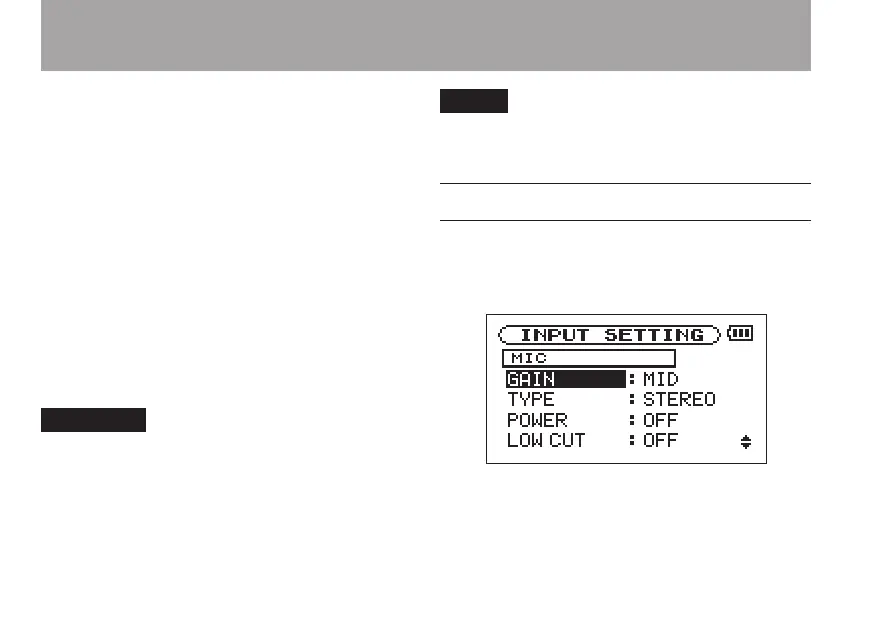
Setting the MIC input functions
After selecting
MIC
as the
INPUT
item, press the
µ key to highlight
INPUT
, then turn the wheel
right to open the
MIC
Input Setting screen.
This screen has the following settings. Among
these,
POWER
, is only effective to MIC IN. All the



 To Next Page