e Playback position display bar
This bar shows the current playback position.
The bar darkens from the left as playback
proceeds.
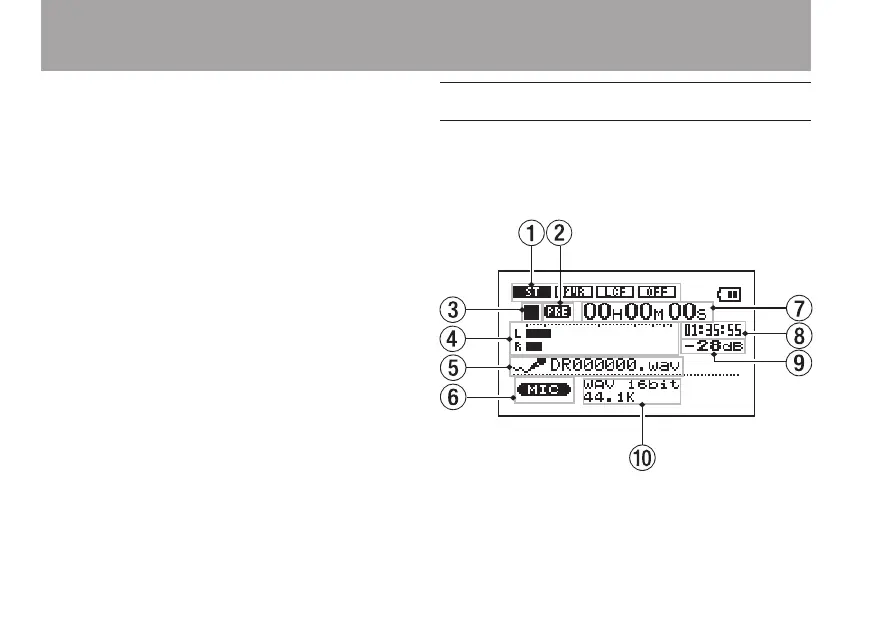
Record Screen
This screen opens when you press the RECORD
key to start recording standby mode and stays open
when you press the RECORD key again to start
recording.
This status of the power and the effect use appears
the same as on the Home Screen. This screen also
shows the following.
4–Screen Overview



 To Next Page