8–Recording
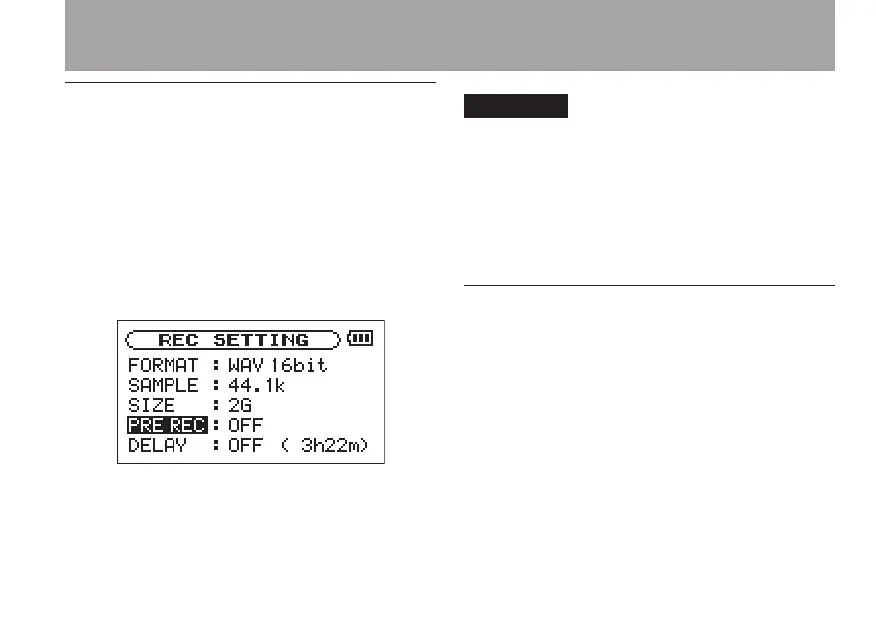
Pre-recording
When the unit is in recording standby, the unit can
record the two seconds before the start of recording
and include it in the recording.
Use the following procedures to set pre-recording.
1. Press the MENU key to open the menu list
screen. Select
REC SETTING
and press
the Á/π key to open the REC SETTING
screen.
2 Use the
PRE REC
item to turn pre-record-
ing ON or OFF.
Options: ON, OFF (default setting)
If the unit has been in recording •
standby for less than two seconds, only
the amount of time that the unit has
been in standby will be included
Pre-recording is not possible if the •
remaining space on the SD card is three
seconds or less.
Recording delay
This function allows the start of recording from the
time of pressing the RECORD key to be delayed 10
ms (this time is xed).
This is convenient if you want to avoid recording
the sound of the RECORD key being pushed.
1 Press the MENU key to open the menu list
screen. Select
REC SETTING
and press
the Á/π key to open the REC SETTING
screen.



 To Next Page