- 20 -
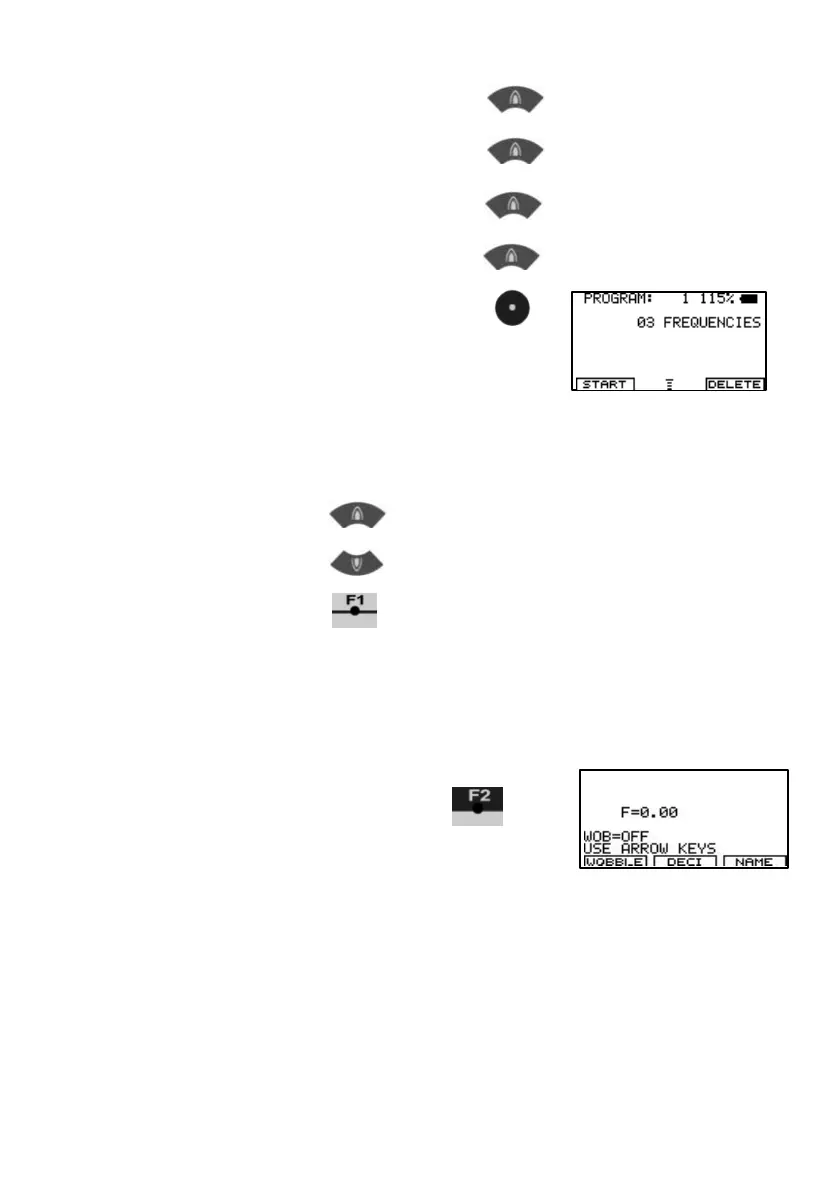
Plus 1 F=1231
Plus 1
F=1232
Plus 1 F=1233
Plus 1 F=1234
Confirm w ith CENTER
Now the third value F=1234 Hz
is memorized in bank #1.
Hint for entering of frequencies:
- Before confirming with CENTER, a wrong entry can be erased to
F = 0 with KEY-LEFT
- With KEY-UP values are incremented.
- With KEY-DOWN values are decremented.
Start program w ith
Input of decimals
Some applications mentioned in the literature call for use of frequencies
with up to 2 decimals (i.e. 8.82 Hz). The F-SCAN COMPA CT offers this
feature starting w ith firmw are version Vx.05 or Vx.13.
1. Input a frequency with
decimals, i.e. 8.82 Hz.
F=0.00 shows,that the
Actual value of the
Frequency is 0 Hz.


 To Next Page