- 9 -
First steps
The charge level of the Lithium-Ion battery of the F-SCAN COMPA CT must
be checked first after the device and its accessories have been unpacked.
CHARGE YOUR F-SCAN COMPACT BEFORE FIRST USE FOR
AT LEAST 6 HOURS. CONNECT THE DEVICE AND THE POWER
SUPPLY WITH THE USB CABLE AND PLUG THE POWER
SUPPLY INTO AN AC-OUTLET. IF THE DEV ICE IS POWERED
ON DURING THE CHARGING PROCEDURE, LESS ENERGY FOR
ENERGIZING THE BATTERY PACK IS AVAILABLE AND THE
CHARGING PROCEDURE TAKES LONGER.
THE LCD MAY SHOW APPEARING AND DISAPPEARING
STRIPES DURING THE CHARGING AND THE DEV ICE MAY
WARM UP SLIGHTLY. THESE EFFECTS ARE NORM AL.
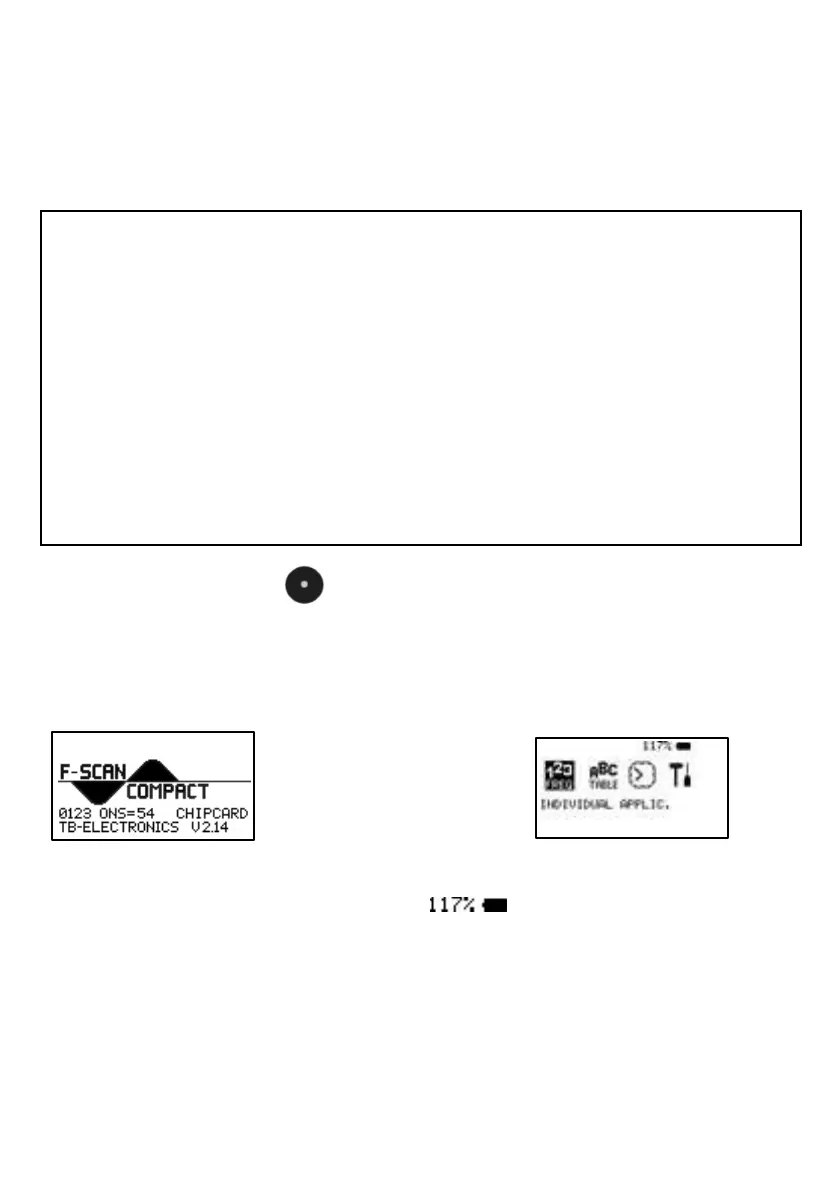
Press KEY-CENTER . An acoustic signal accompanies the start-up
sequence. The display shows briefly the units name, the company
identification and the release level of the firmw are, follow ed by the start
screen:
If the battery is fully charged its icon in the upper r ight corner of the display
will show a load of more than 115% ( ). The battery icon flashes if
the device is connected with the USB-cable to either the pow er supply or a
booted PC or Notebook until the battery is fully charged.
The battery discharges slow ly w hen the device is operated stand-alone.
The battery should be recharged if its capacity reaches 30%. A protection
circuit shuts the device off if it is operated below that level.


 To Next Page