
 Need help?
Do you have a question about the TB-Electronics F-SCAN COMPACT and is the answer not in the manual?
Crucial safety information regarding device usage and potential risks.
Details the development and purpose of the F-SCAN COMPACT device.
List of items included in the F-SCAN COMPACT package.
Configures initial parameters like language, runtime, amplitude, and waveform.
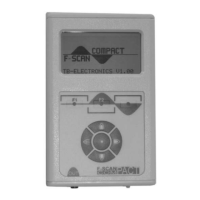
Programmable keys at the bottom of the display for specific functions.
Buttons for menu navigation and operation (Up, Down, Left, Right, Center).
Ports for power and application cables, and operational status LED.
Describes the sinusoidal waveform output.
Details the full square wave signal output.
Explains the square wave with DC offset.
Guidelines for charging the Lithium-Ion battery before initial use.
Process of powering on the device and understanding the initial screen.
How to customize screen brightness levels using soft keys.
Step-by-step guide to selecting and starting an application.
Important warning about preventing damage to the application cable.
Procedure to adjust the lower frequency limit for the SWEEP function.
How to initiate the SWEEP and SPECTRAL ZAP applications.
Explanation of data shown during an active application.
Details how F1, F2, and F3 control application flow and waveform.
How to set up and understand the initial phases of the ZAPPER program.
Description of the remaining phases of the ZAPPER program operation.
Overview of available memory bank capacities for user applications.
Instructions for inputting the first frequency values into memory.
Continuing the process of entering and memorizing frequency values.
Guide to inputting frequencies with decimal points.
Completing the process of entering frequencies with decimal values.
Reiteration of the 100 memory bank system for user applications.
Continuing the process of inputting frequency values.
Finalizing the input of frequency values into memory.
Completing the input of frequency values and entering hints.
Detailed example of inputting frequencies with decimal points.
How to set a wobble value to alternate frequency.
Procedure for naming custom applications using the NAME submenu.
How to modify the duration for each frequency in an application.
How to set the signal strength for applications.
Step-by-step guide to adjusting the signal amplitude.
Information on parameters affected by resetting to factory defaults.
Step-by-step guide to reset the device to its default settings.
Instructions to erase all stored user memory banks.
How to erase a specific user memory bank.
Overview of the automated resonance analysis option.
Description of the sensors used for the DIRP function.
Step-by-step guide for performing a DIRP resonance analysis.
Understanding the display during and after a DIRP scan.
Conditions for successful DIRP and situations where it should not be used.
Overview of the ChipCard for application transfer.
How to use the ChipCard with the device.
Description of functions: Read, Copy, and Erase ChipCard data.
Procedure for transferring applications to the MinDevice using ChipCard.
Notes on battery behavior when charged while OFF.
Information on waveform settings and potential user experience.
Details on how language selection affects application names.
Using CV for device and cable functional testing.
Key differences between ZAPPER and SPECTRAL ZAP functions.
Details on housing, dimensions, display, memory, and power supply.
Information on signal types, amplitude, and output range.
Official statement regarding product conformity to standards.
 General
| Form Factor | Desktop |
|---|---|
| Keyboard | No |
| CV/Gate | No |
| LFO | 1 |
| Filter | 1 |
| Inputs | 1x 1/4" (audio) |

 To Next Page