- 25 -
Adjustment of Wobble-Function
For some applications it is recommended that a frequency changes
constantly. This is called WOBBLE. It is possible to assign a w obble to any
frequency. The value for WOBBLE is input in “%”. A WOBBL E value of
10% means that the frequency alternates betw een +/- 10% of its value. Any
value above 100 Hz can be w obbled.
NOTE: THE WOBBLE VALUE CAN ONLY BE ASSIGNED BEFORE TH E
FREQUENCY VALUE IS MEMORIZ ED WITH CENTER.
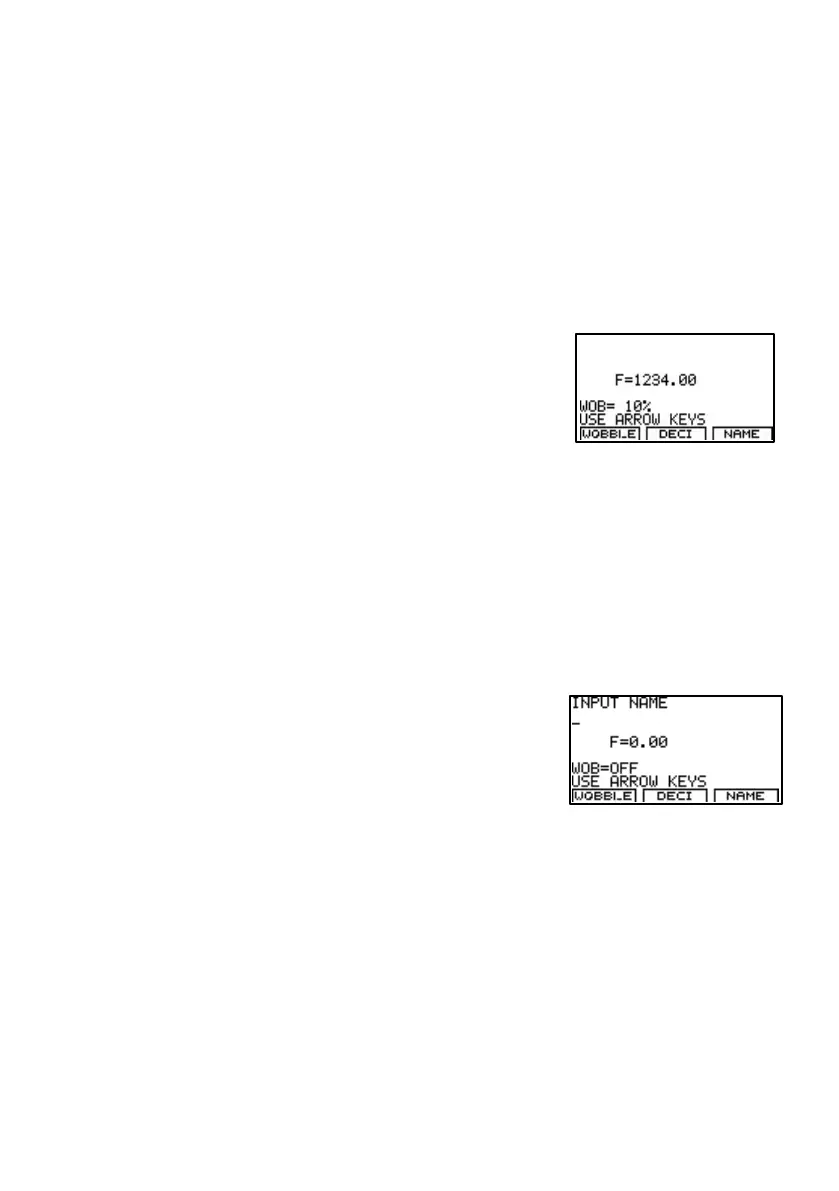
The image to the right shows that a frequency
of 1234Hz has been input. Before the entry has
been confirmed w ith KEY CENTER, KEY F1
has been pressed 10 times. Now the Frequency
and the w obble value can be memorized w ith
KEY CENTER.
Name an application
Press KEY F3 to enter the NAME submenu.
Use KEY LEFT, KEY RIGHT, KEY UP and KEY DOWN to operate the
NAME submenu:
KEY LEFT: clears an entry
KEY UP: increases the character value
KEY DOWN: decreases the character value
KEY RIGHT: selects the next character
With KEY CENTER the entry w ill be confirmed and memorized.


 To Next Page