54
EFFECTS – FILTER
Auto Wah
The wah effect occurs when a relatively narrow
frequency area is boosted and swept through a
frequency range.
The sweep is controlled by a low frequency oscillator
(LFO).
Speed
Range: 0.050Hz to 20Hz
This parameter sets the speed of the effect.
Tempo
Range: Ignore, 2 to 1/32T (T= Triplet & D= Dotted)
When set to any value between 2 and 1/32T, the G-
System’s Global Tempo is subdivided according to this
setting. When set to “Ignore”, the speed set by the Speed
parameter is used instead.
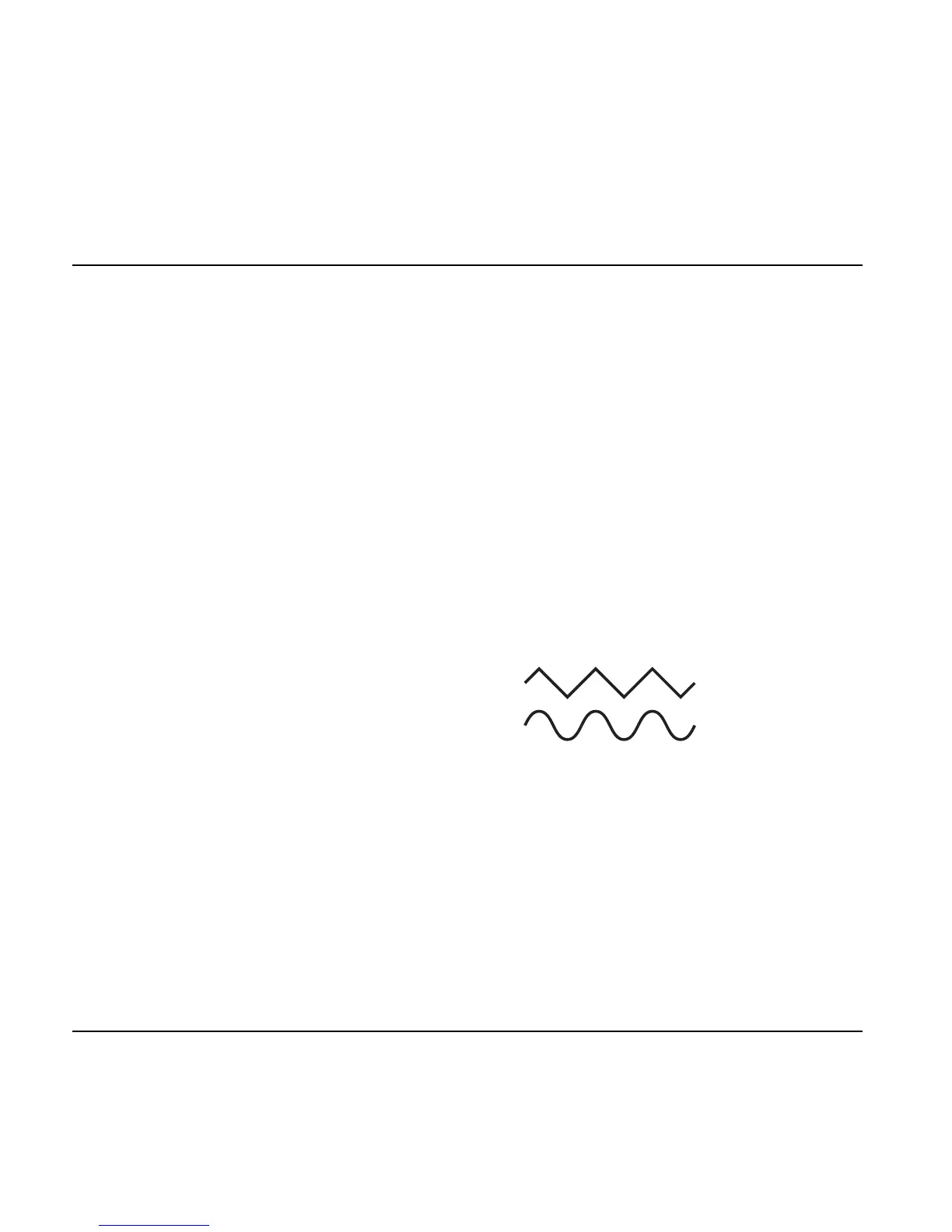
Shape
Range: Triangle or Sine
Sets the shape of the frequency boost.
Range (Instr Mode)
Range: Low or High
Determines whether the Auto Wah is particularly
sensitive to low or high input frequencies.
OutLev – Out Level
Range: -100 to 0dB
This parameter sets the overall Output level of this effect.
Enable
Range: Off/On
The effect’s status. All settings are stored as part of the
preset even if this particular effect is disabled.
Touch Wah
The wah effect occurs when a relatively narrow
frequency area is boosted and swept through a
frequency range. The sweep is controlled by the input
dynamics. This means: the harder you hit the strings, the
higher the boosted frequency will be.
Sense – Sensitivity
Range: 0 to 10
Adjust the sensitivity according to the level present on
the input. Be aware that changing any level parameter on
devices prior to the Touch Wah effect will require a
different sensitivity setting to get the same Touch Wah
“feel”.
Resp – Response
Range: Slow or Fast
This parameter determines the speed of the sweep.
Range (Instr Mode)
Range: Low or High
This parameter determines whether the Touch Wah is
particularly sensitive to high or low input frequencies.
OutLev – Out Level
Range: -100 to 0dB
This parameter sets the overall Output level of this effect.
Enable
Range: Off/On
The effect’s status. All settings are stored as part of the
preset even if this particular effect is disabled.




 To Next Page