Tremolo
Introduction
A Tremolo is basically a change of the signal level
controlled by an LFO. The G-System offers variations of
this effect; ranging from soft and smooth to hard and
aggressive.
Speed
Range: 0.050Hz to 20Hz
This parameter sets the speed of the effect.
Tempo
Range: Ignore, 2 to 1/32T (T= Triplet & D= Dotted)
When set to any value between 1 and 1/32T, the G-
System’s Global Tempo is subdivided according to this
setting. When set to “Ignore”, the speed set by the Speed
parameter is used instead.
The Tap Master parameter – located in the Utility
menu – specifies whether the Global tempo or the
tempo set by the Speed parameter in each preset
should be used at preset change.
Depth
Range: 0 to 100%
This parameter sets the intensity of the effect. A 100%
setting means that the signal is completely muted
between signal peaks.
Type
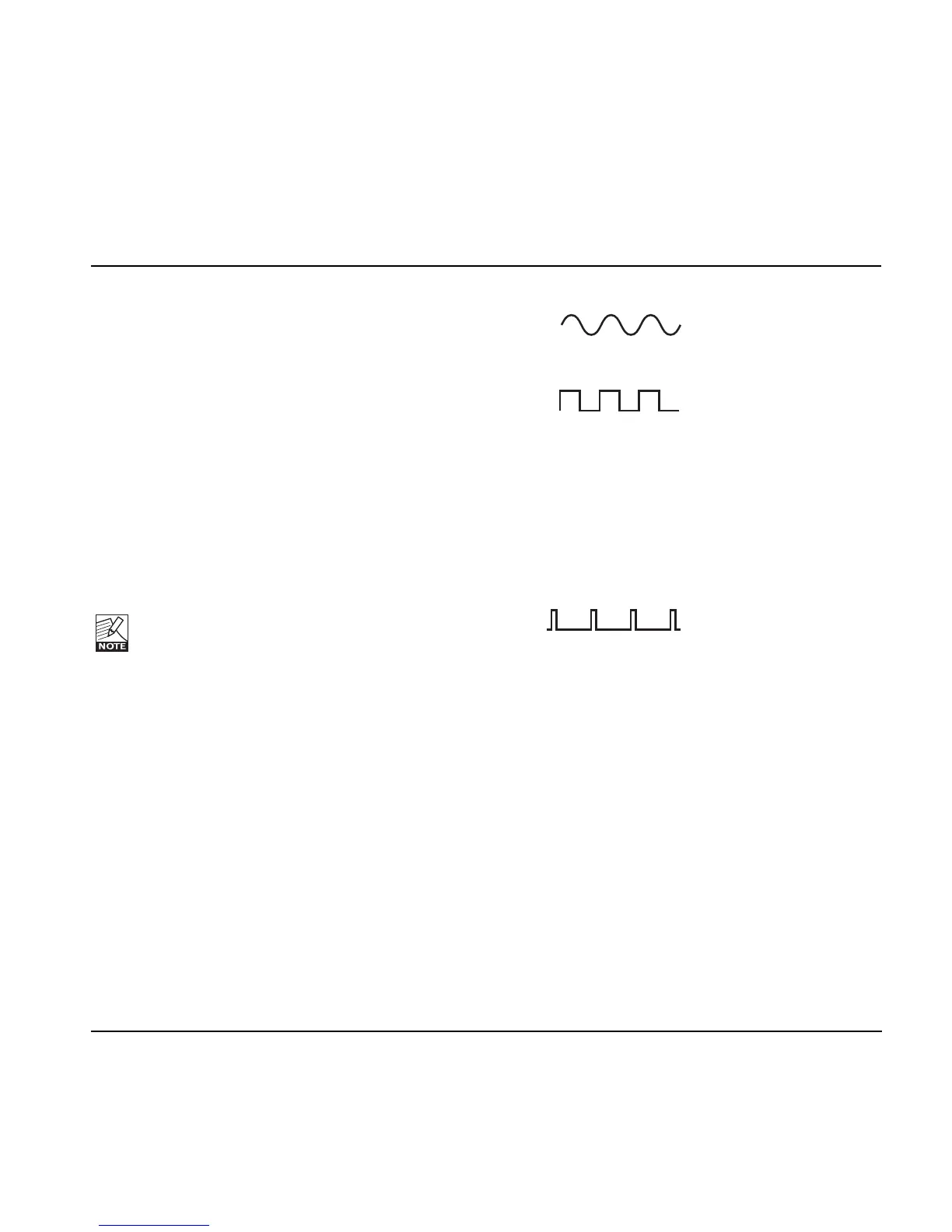
Range: Soft or Hard (Sinus or Square)
Two waveforms are available as modulation sources for
the Tremolo effect. Setting this parameter to Hard results
in a steeper effect. Listen and choose the appropriate
option.
Sine
Square
Width
Range: 0 to 100%
If you set this parameter e.g. to 20% with a Type setting
of Hard, the waveform will be on for 80% of one period.
With a Type setting of Soft, a 50% setting would yield a
full sine wave, whilst 0% and 100% would yield a crest-
to-peak and peak-to crest curve, respectively.
Pulsewidth
Hi-Cut
Range: 20Hz to 20kHz
This parameter attenuates the high frequencies of the
Tremolo effect. Use the hi-cut filter to create a less
dominant Tremolo effect without changing the effect’s
Depth.
OutLev – Out Level
Range: -100 to 0dB
This parameter sets the overall Output level of this effect.
Enable
Range: Off/On
The effect’s status. All settings are stored as part of the
preset even if this particular effect is disabled.
EFFECTS – MOD
63




 To Next Page