- 8 -
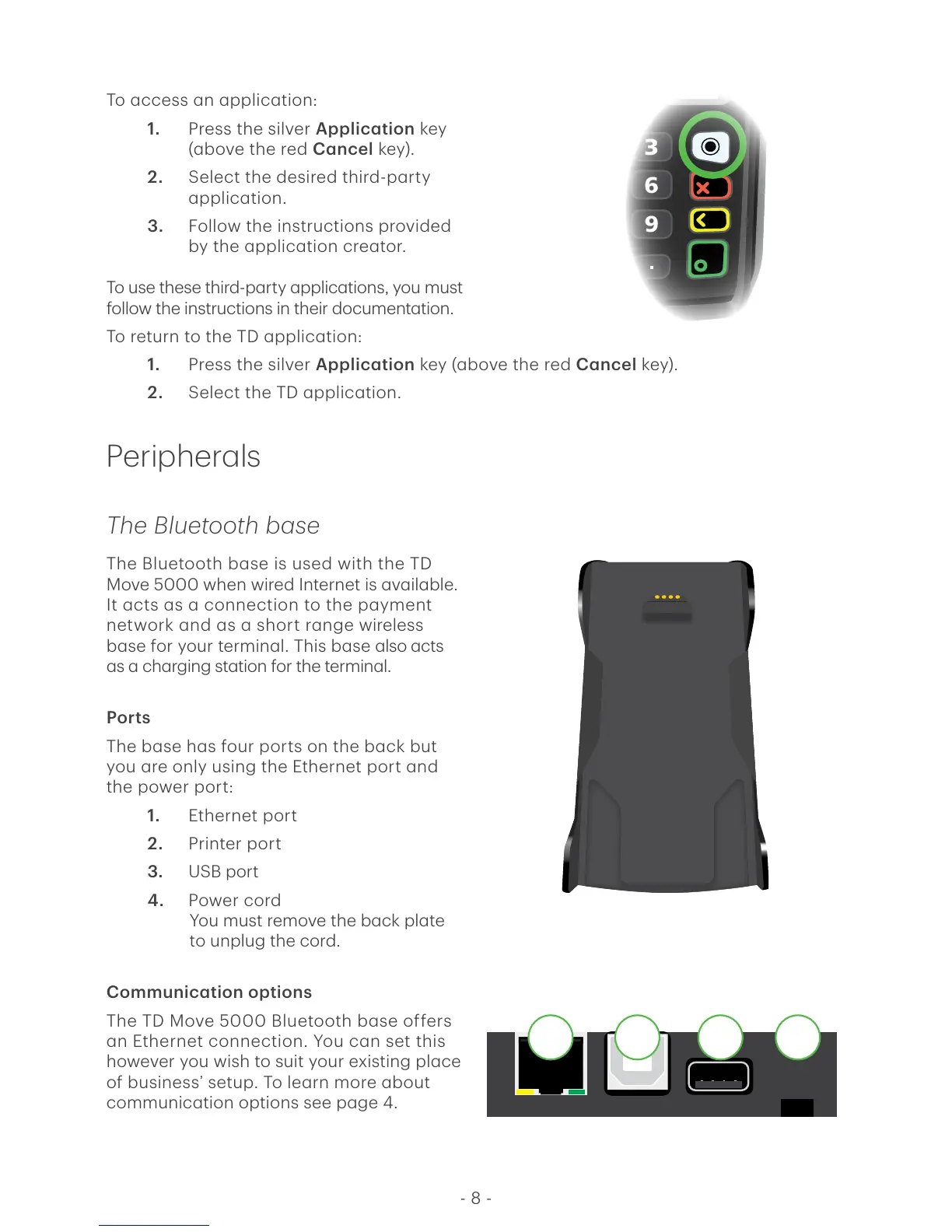
To access an application:
1. Press the silver Application key
(above the red Cancel key).
2. Select the desired third-party
application.
3. Follow the instructions provided
by the application creator.
To use these third-party applications, you must
follow the instructions in their documentation.
To return to the TD application:
1. Press the silver Application key (above the red Cancel key).
2. Select the TD application.
Peripherals
The Bluetooth base
The Bluetooth base is used with the TD
Move 5000 when wired Internet is available.
It acts as a connection to the payment
network and as a short range wireless
base for your terminal. This base also acts
as a charging station for the terminal.
Ports
The base has four ports on the back but
you are only using the Ethernet port and
the power port:
1. Ethernet port
2. Printer port
3. USB port
4. Power cord
You must remove the back plate
to unplug the cord.
Communication options
The TD Move 5000 Bluetooth base offers
an Ethernet connection. You can set this
however you wish to suit your existing place
of business’ setup. To learn more about
communication options see page 4.



 To Next Page