- 24 -
a) the gold design-side is facing downward,
b) the clipped corner is positioned as it is in the diagram (bottom-right), and
c) you slide it upward, following the direction of the black arrow.
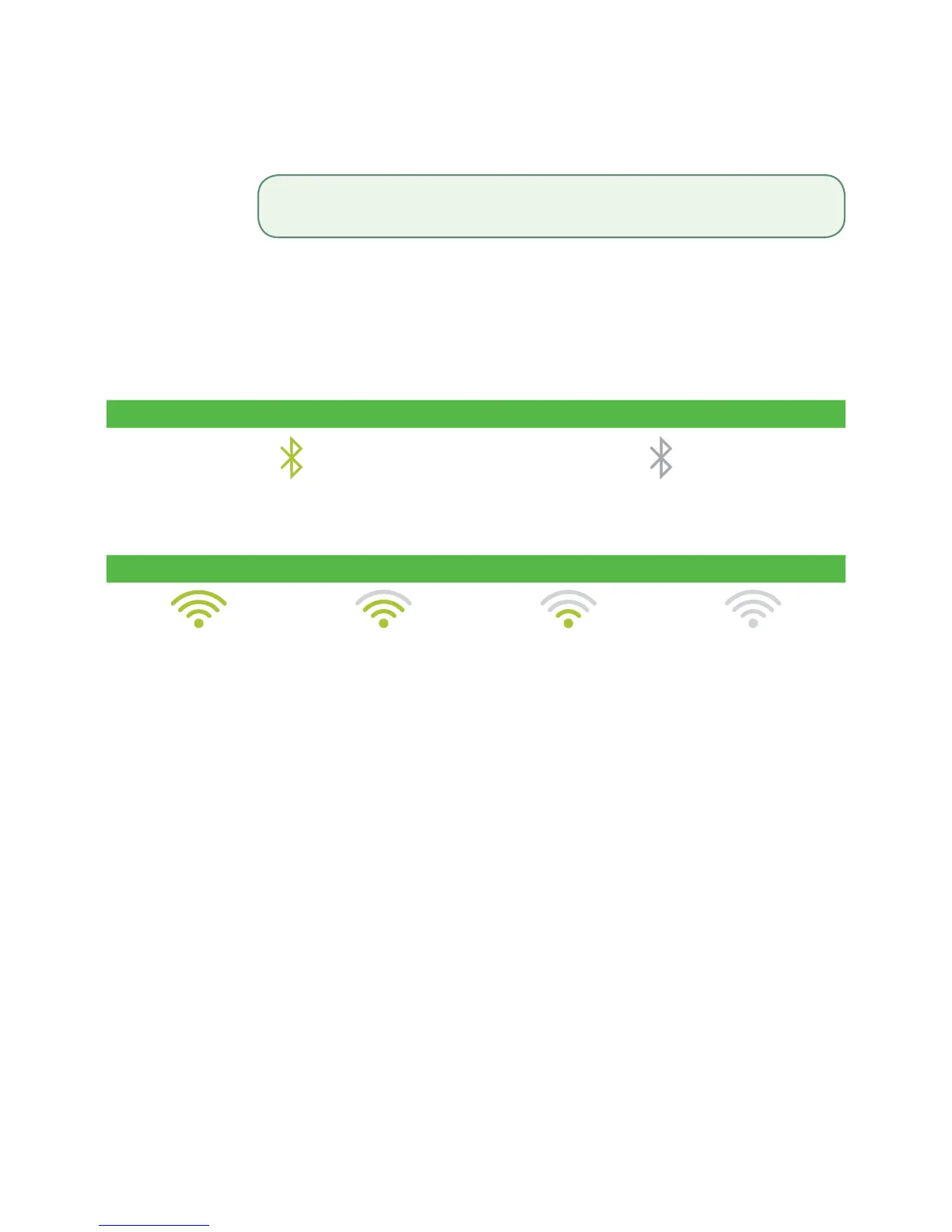
Signal Strength
The signal strength is represented dierently for each communication method.
Bluetooth
Connected No Connection
WiFi
100% - 66% 65% - 33% 32% - 1% Low Zero / None
Bluetooth and WiFi Interference
The biggest issue is that the frequency range (2.4GHz) used by Bluetooth and WiFi is shared
by other equipment and can be blocked by certain materials. There are steps that you
can take that will minimize Bluetooth connectivity issues. They are:
1. Distance between the terminal and the base / wireless router
Ensure that you keep your terminal and base in the same room if possible.
Obstacles such as walls or furniture may weaken or block the signal.
2. Signal interference
Bluetooth and WiFi uses the 2.4GHz frequency range which is shared by other
devices such as:
• Microwaves
• WiFi devices (routers, VoIP phones, wireless cameras)
• Fluorescent oice lighting
• Some cordless phones and baby monitors
• Human bodies in between the Bluetooth base / wireless router and
the terminal
To avoid connectivity and data issues, avoid going near these devices when using the TD
Move 5000 solution. Of course, you can’t always avoid sources of interference. To
accommodate this, Bluetooth and WiFi is able to adapt to some interference from multiple
sources depending on its strength. But, if you encounter too many sources of interference
at once, your devices may not be able to adapt and they could lose connectivity.
Iftheissueisnotresolvedaftertryingtheabove,pleasecontacttheTD
MerchantSolutionsHelpDeskat18003631163.



 To Next Page