- 23 -
Why isn’t my terminal connecting to the network?
Bluetooth
If you don’t see the green network icon , you can quickly check the following:
1. Is your Bluetooth base powered? Ensure that the electrical outlet has power.
2. Is your Internet connection working properly? Verify this with another device.
3. Is your Bluetooth base working correctly? Unplug and plug the Ethernet cable
back into the base and wait for one minute.
WiFi
If you don’t see the green WiFi icon , you can quickly check the following:
1. Is your router / modem powered? Ensure that the electrical outlet has power.
2. Is your Internet connection working properly? Verify this with another device.
3. Is your modem / router working correctly? Unplug and plug back in your modem / router
and wait for three to four minutes.
4G
If you don’t see this icon
, you can quickly check the following:
1. Have you made physical changes to your location? New walls or electronic
devices near the terminal may prevent a connection.
Has something changed to the environment outside your place of business? A
new building may block or reduce the signal strength.
Try walking around your place of business to see if you are able to receive a signal.
2. Is there an issue with the wireless phone network? Your terminal uses the Bell network.
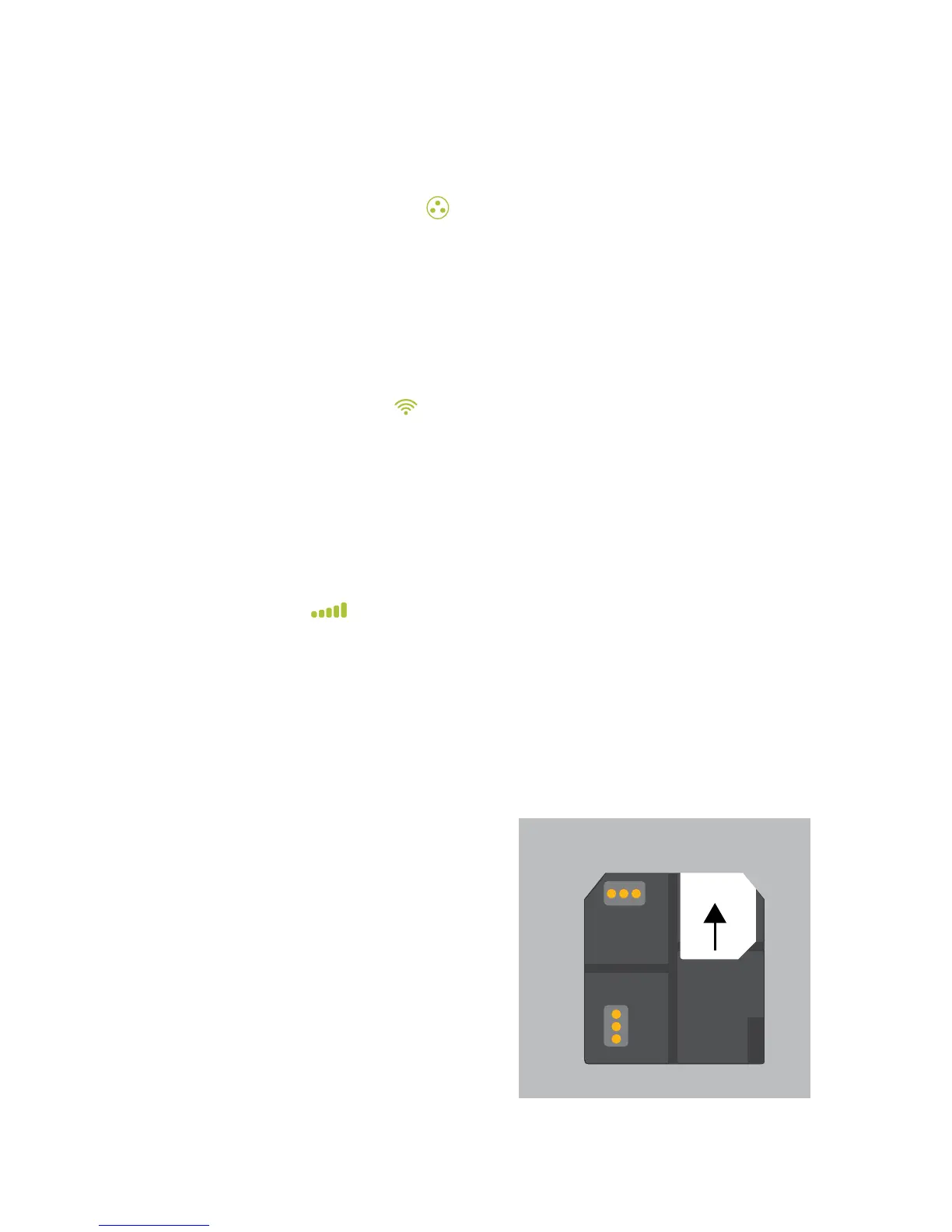
3. Is your terminal’s SIM card seated properly? To check this:
a) Turn over your terminal
so that you can see the
black, back panel
b) There is a latch along
the bottom-edge of the
panel. Push it upwards
so that it unlocks the
back panel.
c) Lift up the panel’s lower
edge. You will now see
the SIM card for your
terminal. It should look
like the image to the right.
4. If the SIM card has become
dislodged, you will have to reinsert
it. When you do this, ensure that:



 To Next Page