- 12 -
c) Perform a fraud check on the card and signature.
d) Verify the card info with what is on the terminal screen and press OK.
Go to step 5.
Tap
a) The customer taps their contactless-enabled credit card on the
contactless card reader. The customer may be required to insert or
swipe their card in some cases. Go to step 5.
Manually enter card
There is an inherent fraud risk for manually entered transactions. Please see
page 9 for more information.
a) Enter the account number and press OK.
b) Enter the expiry date and press OK.
c) Enter the CVD number and press OK. This number is generally located on
the back of the credit card. This can be an optional step depending on
your settings.
d) If prompted, indicate if the card was present for the transaction (Yes or
No). Go to step 5.
5. The screen shows that authorization number, the transaction total and the
receipts print.
If it is a UnionPay transaction, the customer may be required to sign the
receipt. Review the receipt to see if a signature is requested.
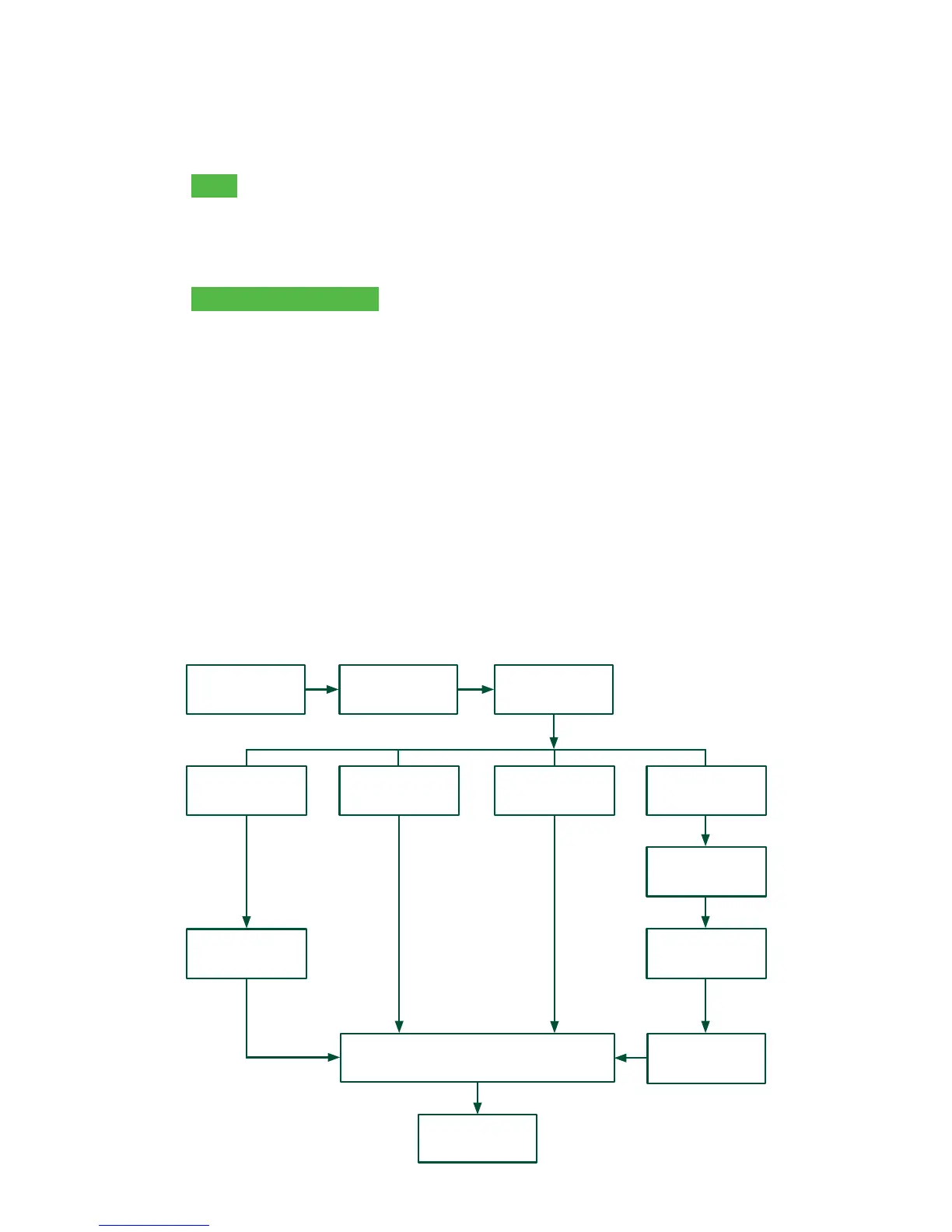
ENTER
AMOUNT
RECEIPTS
SWIPE CARD
MANUALLY
ENTER CARD
ENTER # and
EXP. DATE
ENTER CVD?
(optional)
IMPRINT CARD
MESSAGE
FINISHED
ENTER PIN
INSERT CARD TAP CARD
CONFIRM
AMOUNT
PAYMENT
METHOD



 To Next Page