10
CHAPTER 4: CONNECT TO NETWORK
4.1
Ethernet Cable
The Ethernet cable must be supplied by the customer. It may be a standard straight “patch” CAT-5 (or better)
network cable or a “crossover” cable. Cable type is auto-detected by the power supply.
NOTE
The serial link (RS-485) cable (0.5 meters long) provided with the power supply cannot be used
for MODBUS TCP connection.
4.2
Types of Networks
There are two types of networks discussed in this document:
4.2.1
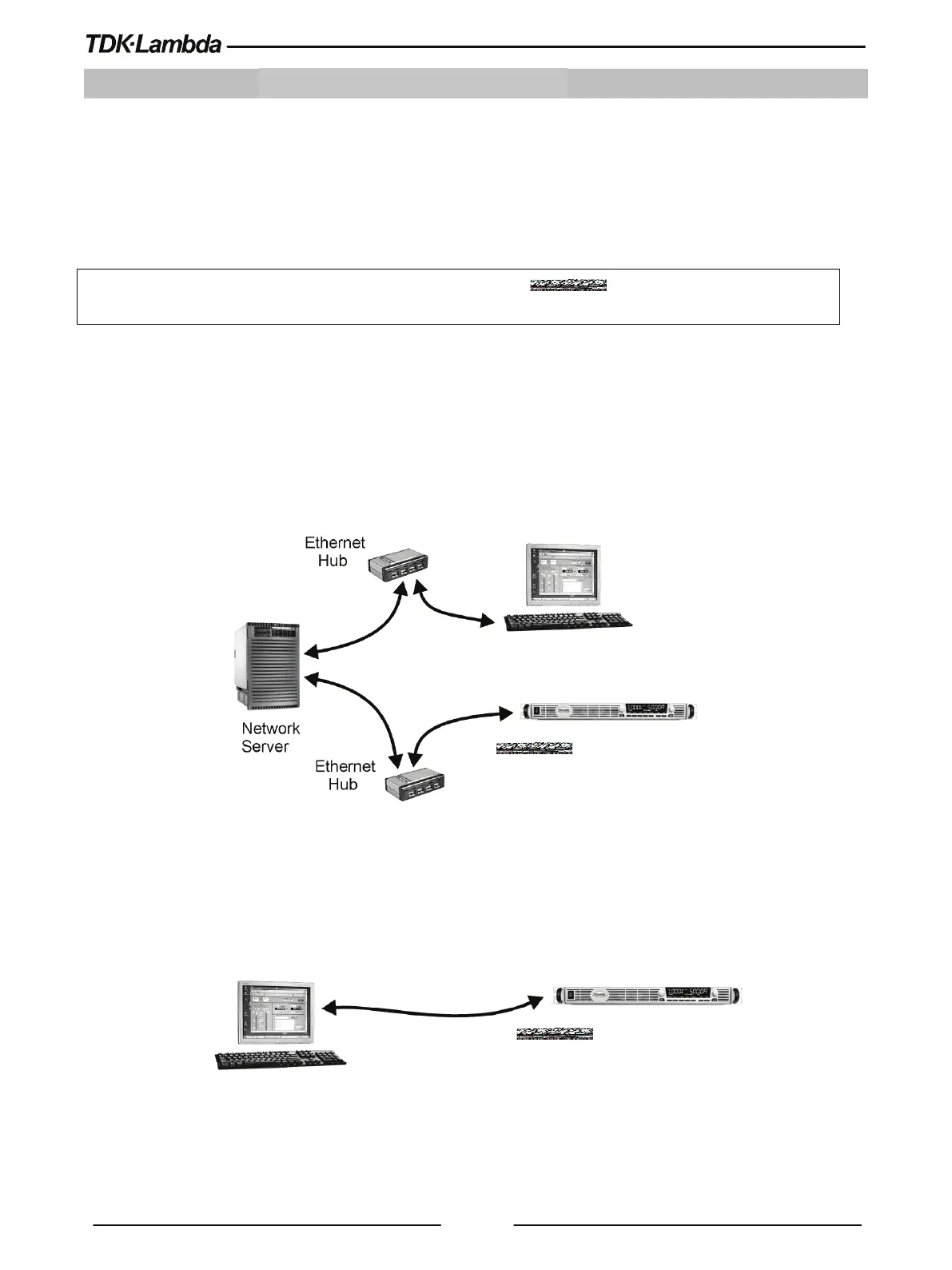
NETWORK WITH A DHCP SERVER
A typical local area network with a server computer and network administrator to keep it operating. The server
downloads the IP address and other settings to the power supply.
Figure 4–1: Network with a DHCP Server
4.2.2 PEER-TO-PEER NETWORK
In this type of configuration, the power supply is connected directly to a computer that is not a network server.
The power supply configures its own IP address and other settings.
Figure 4–2: Peer-to-Peer Network
IP address is assigned by the server using
DHCP or the Genesys+ may be set to a
Computer with a web browser and a
program to send MODBUS TCP commands
Computer with a web browser and a program to send
MODBUS TCP commands.
The computer is not connected to any other network
IP address is a static.
IP address is set manually
Cables
(Patch or cross-over)














 To Next Page