11
6. To view the locked channels, you will be required to enter either the
default password '000000' or your last set password. The master unlock
password is '888888' in the event you forgot your password settings.
3.1.1.2 Electronic Program Guide (EPG)
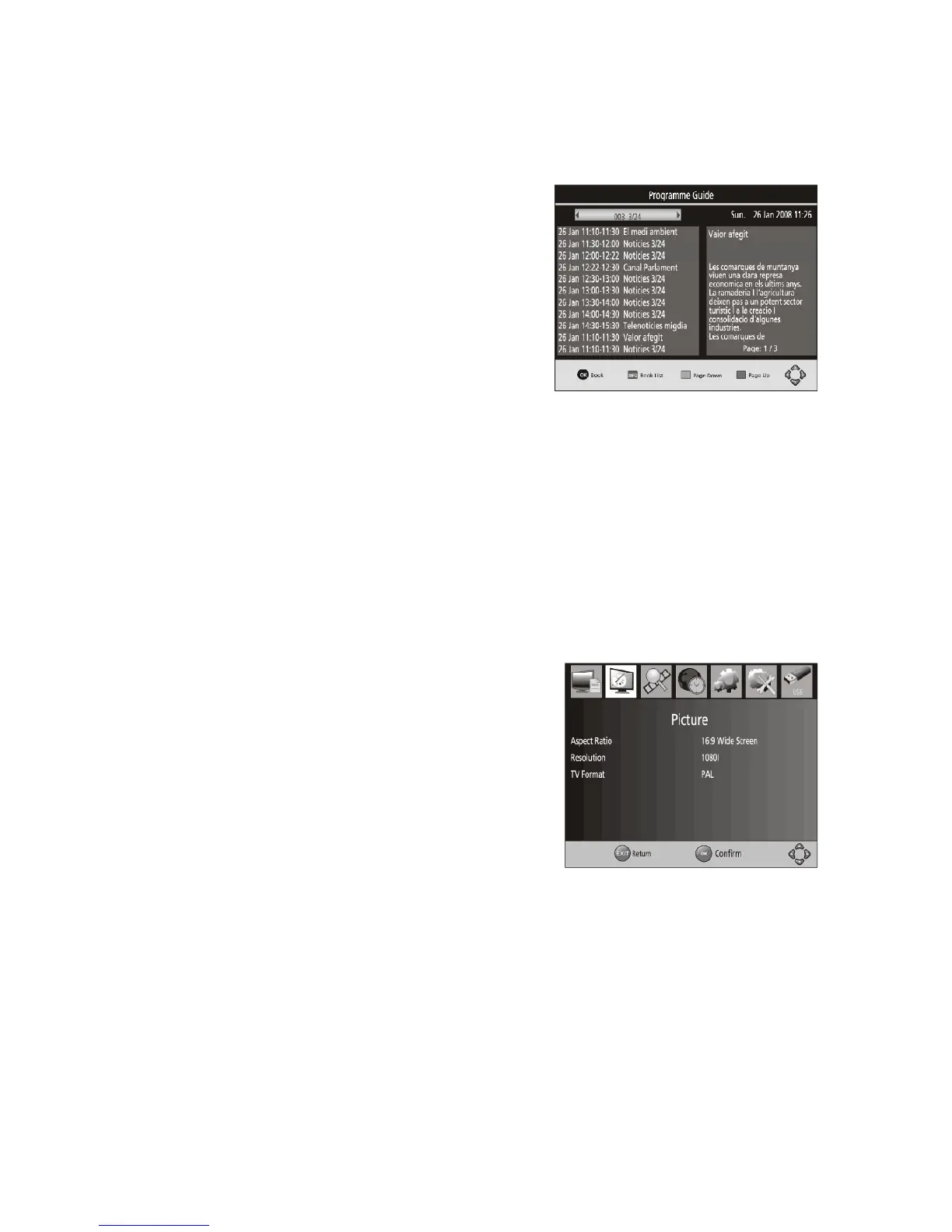
The EPG is an on-screen TV guide that
shows scheduled programs seven days in
advance. Press the EPG button on the
Remote Control while in normal viewing
mode to access the guide.
You can use the LEFT/RIGHT keys to scroll
through the channels and the UP/DOWN
keys to select a progrm. If there is more
than one page of information, use the
BLUE button for page up and the YELLOW
button for page down.
3.1.1.3 Sort
Sort your channels using the following options:
By LCN – Sort the channels in ascending order.
By Service Name – Sort the channels in alphabetical order.
By Service ID – Sort the channels according to the station.
By ONID – Sort the channels according to ONID.
3.1.1.4 LCN (Local Channel Number)
Set the Local Channel Number to ON or OFF.
3.1.2 Picture Setting
To access the Menu, press MENU then select
[Picture] using the RIGHT/LEFT key. The Menu
provides options to adjust the video settings.
Press UP/DOWN to select an option and press
RIGHT/LEFT to adjust that setting. Press EXIT to
exit the menu.
3.1.2.1 Aspect Ratio
You can change this setting if the picture does not appear to fit the screen correctly.
AUTO: This setting will automatically select the best ratio to match the broadcast
picture with your TV.
If you do not choose the auto setting you can select from the following - [4:3 Full],
[4:3 Pan& Scan], [4:3 Letter Box], [16:9 Wide Screen].
NOTE: Press the YELLOW button in normal viewing mode to change the aspect ratio.



 To Next Page