12
3.1.2.2 Resolution
You can change this setting if the picture resolution does not appear to be correct.
This setting is to match the most common settings if a HDMI cord is used.
[576i]: for PAL TV system.
[576P]: for PAL TV system.
[720P]: for NTSC or PAL TV system.
[1080I]: for NTSC or PAL TV system.
Alternatively, press the GREEN button in normal viewing mode to change the
resolution settings.
3.1.2.3 TV Format
If the picture does not appear to be correct you can change this setting.
This should match the most common setting for TVs in your country.
[NTSC]: for NTSC system TV.
[PAL]: for PAL system TV.
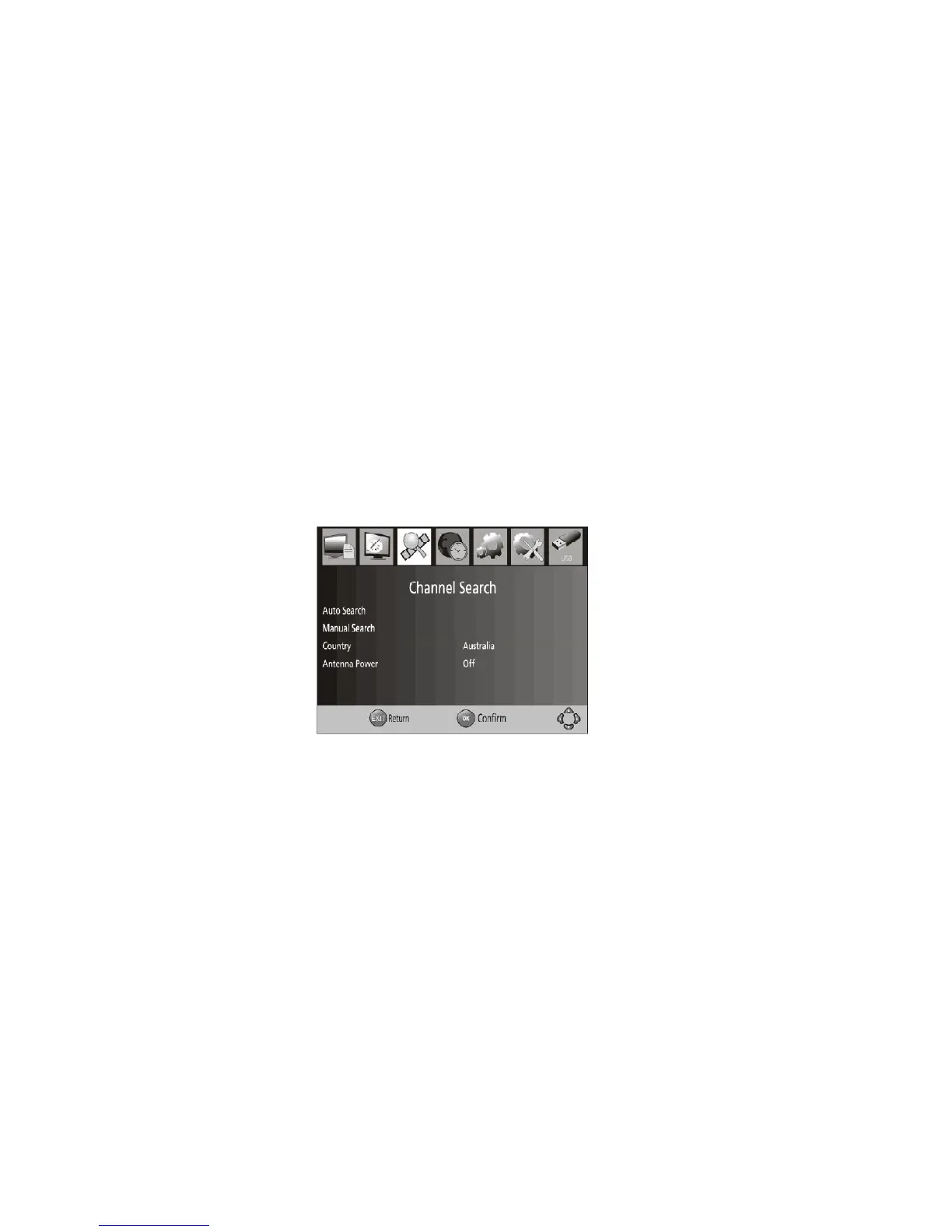
3.1.3 Channel Search
To access the menu, press MENU select [Channel Search] using the RIGHT/LEFT keys.
This Menu provides options to adjust the Search Channel settings.
Press UP/DOWN to select an option and press RIGHT/LEFT to adjust the settings.
Press EXIT to exit the Menu.
3.1.3.1 Auto Search
This option will automatically search for channels and save them once the scanning
is complete. All previously saved channels and settings will be deleted. Any channels
that have been found will be saved.
1. Select [Auto Search] and press OK or RIGHT to start channel search.
2. To cancel channel search, press EXIT.
3.1.3.2 Manual Search
This option allows you to scan for new channels without deleting previously saved
channels and settings.
1. Select [Manual Search] then press OK or RIGHT. The channel search
screen will appear.
2. Press the RIGHT/LEFT key to select the channel frequency.
3. Press OK to start searching channels.
If a channel is found, it is saved and added to the channels list. If channels cannot be
found during searching, the unit will exit automatically.



 To Next Page