18
3.2.2 Scheduled Recording
You can book programs for recording when a USB deice
is connected to the USB
socket on the front panel.
Enter EPG by pressing the EPG key. Select the program
you wish to record using the
LEFT/RIGHT keys and the UP/DOWN keys to highlight the
program.
Press the OK key to book the highlighted program for
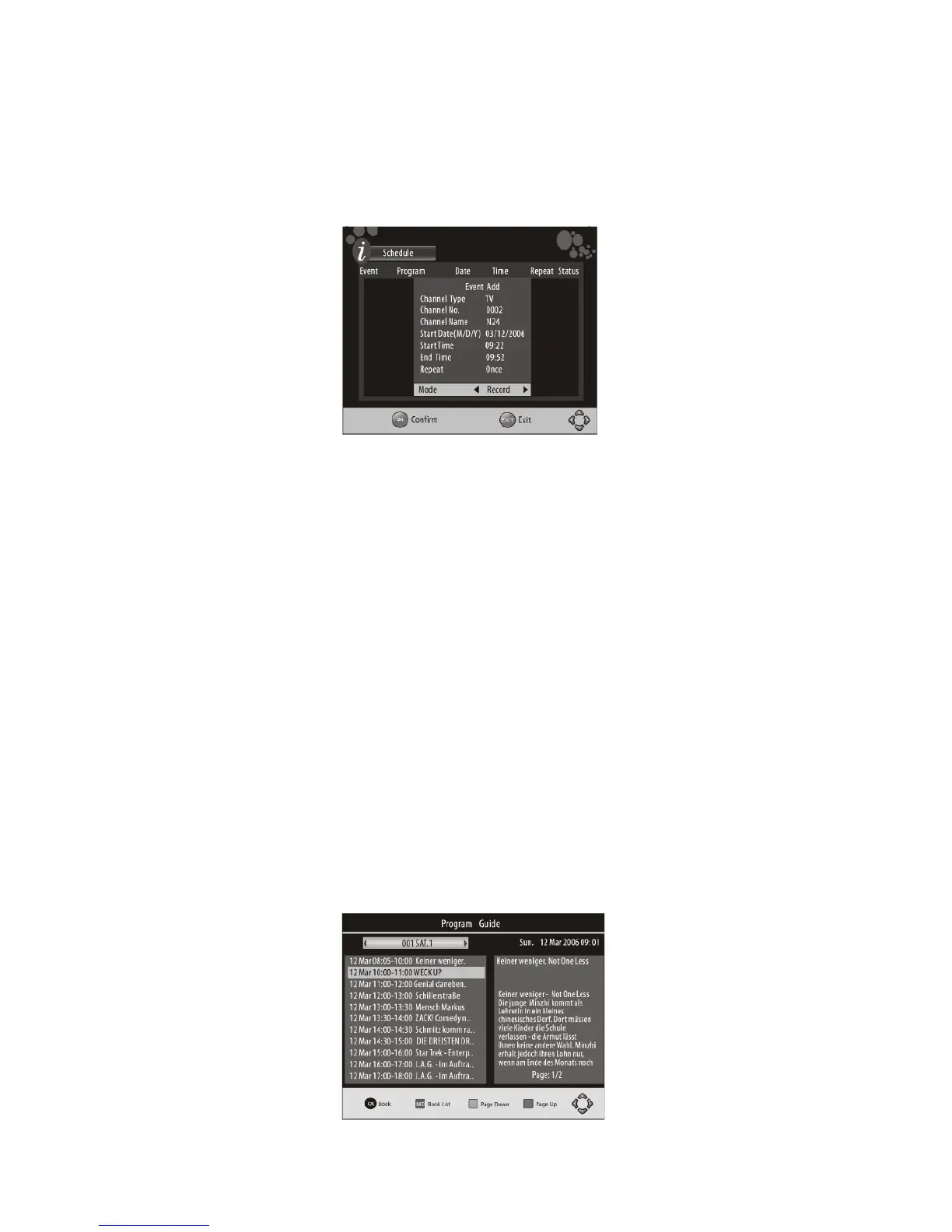
recording. A schedule window
will appear that allows you to adjust the recording param
eters as follows:
Channel type:
Select the recording for TV or Radio.
Channel Number:
Specify the channel by number.
Name:
This displays the name of the channel selected above, c
an only be changed
by selecting another channel number.
Start Date:
select the starting date of the recording in DD/MM/YYY
Y format.
Start Time:
Set the start time for the recording in HH:MM
End Time:
Set the end time of the recording HH:MM
Repeat:
You can select how often you would like the recording
to occur:
Once/Daily/Weekly
Mode:
You can select RECORD to make the unit record accord
ing to your previous
settings or select View to change to another channel at
the specified times.
Use the UP/DOWN/RIGHT/LEFT keys to navigate through
the schedule window and
adjust the parameters, use the Numeric buttons to e
nter figures such as dates and
times.



 To Next Page