1
1. Before using the unit
1.1 Accessories
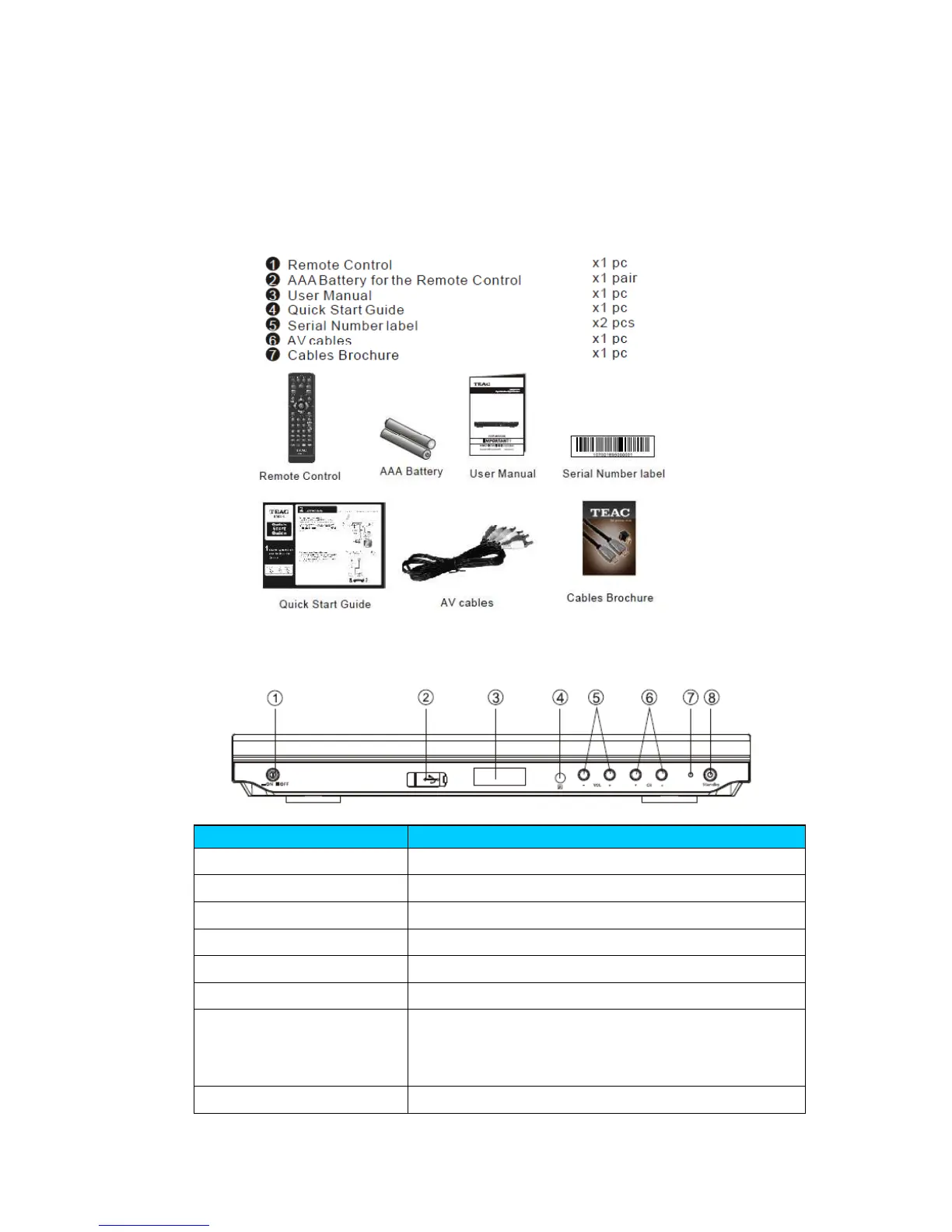
Before installing the unit, please check the contents of the package. The package should
contain the following items:
1.2 Front and Rear Panel
1.2.1 Front Panel
1. POWER BUTTON Push to turn on/off the main power supply.
2. USB INPUT For software upgrade recording and media playback.
3. LED DISPLAY Displays current channel number.
4. REMOTE CONTROL SENSOR Used to receive the signal from the remote control.
5. VOL+/- Used to make selections on screen menu, adjusting volume.
6. CHANNEL UP/DOWN Move to previous file or beginning of file.
7. INDICATOR
Used to indicate power state of Set Top Box, the LED will
turn red when the Set Top Box is in standby mode. A
blinking green LED display indicates recording status.
8. STANDBY Switches unit to standby mode.



 To Next Page