12
Setting Key Codes 5
Note:
If the device displayed on the screen displays a
page number, pressing the PAGE button switches
between BASIC and ADVANCED key layout pages.
Select an appropriate key layout page by pressing
the PAGE button.
6. Touch a key on the touch screen to which
you wish to assign a key function.
The selected key blinks.
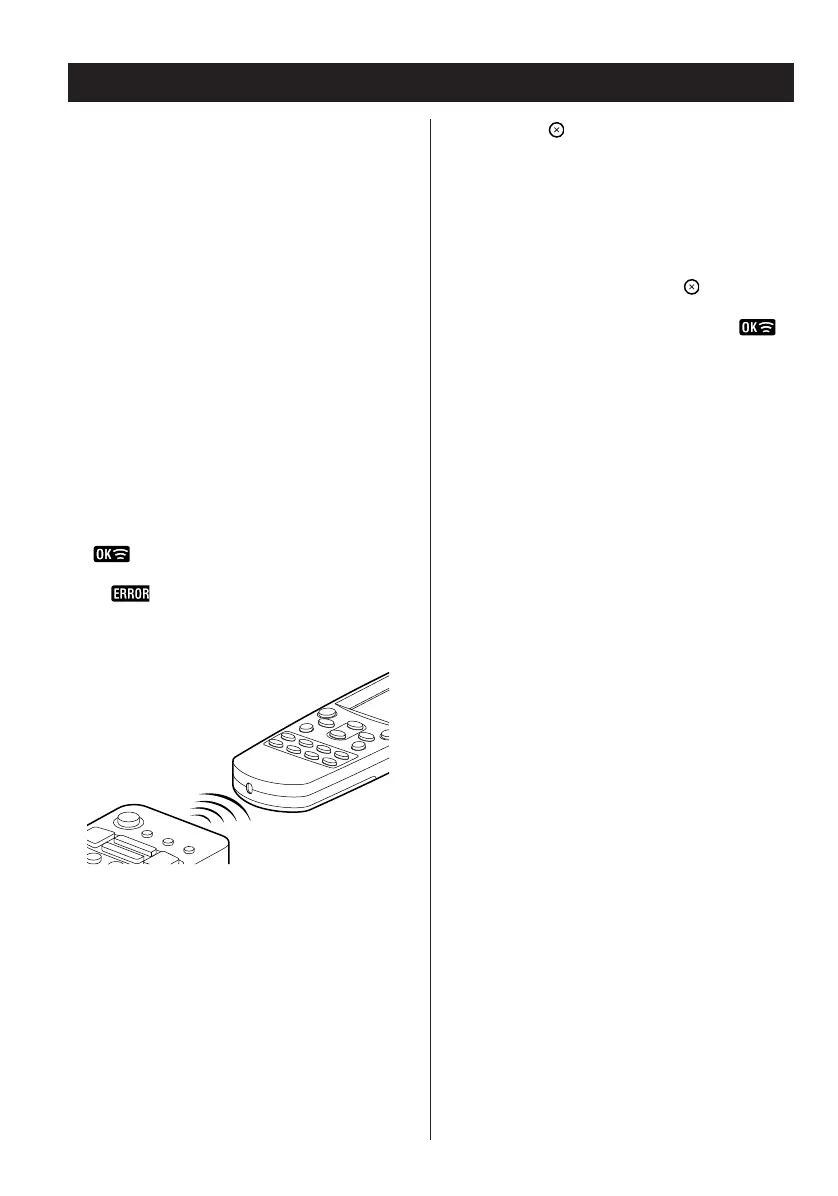
7. Press the corresponding button on the target
component’s remote control. The code is
sent to the RC-L800/RC-L2.
appears when successfully learned and
the next key to be programmed blinks.
Or displays if there is a learning failure. If
learning fails, attempt to learn the key again by
starting again at step 6.
Repeat the steps 6–7 until all keys have
been learned by the RC-L800/RC-L2.
To learn other devices, press the device button
to select the additional devices and repeat
steps 6–7.
8. Press the button repeatedly to exit from
Auto setup and return to the previously
displayed screen layout.
Note:
< If at any point during setup you wish to exit from
the setup screens, press the button to go
back through the displayed screens one by one.
< Sometimes when learning a key code is
displayed but the learned key does not function
properly. Repeat steps 6–7 above and check the
function of the key again.
< There may be some functions of your target
device remote control that the RC-L800/RC-L2
cannot emulate.


 To Next Page