Other Settings 1
28
Setting Date and Time
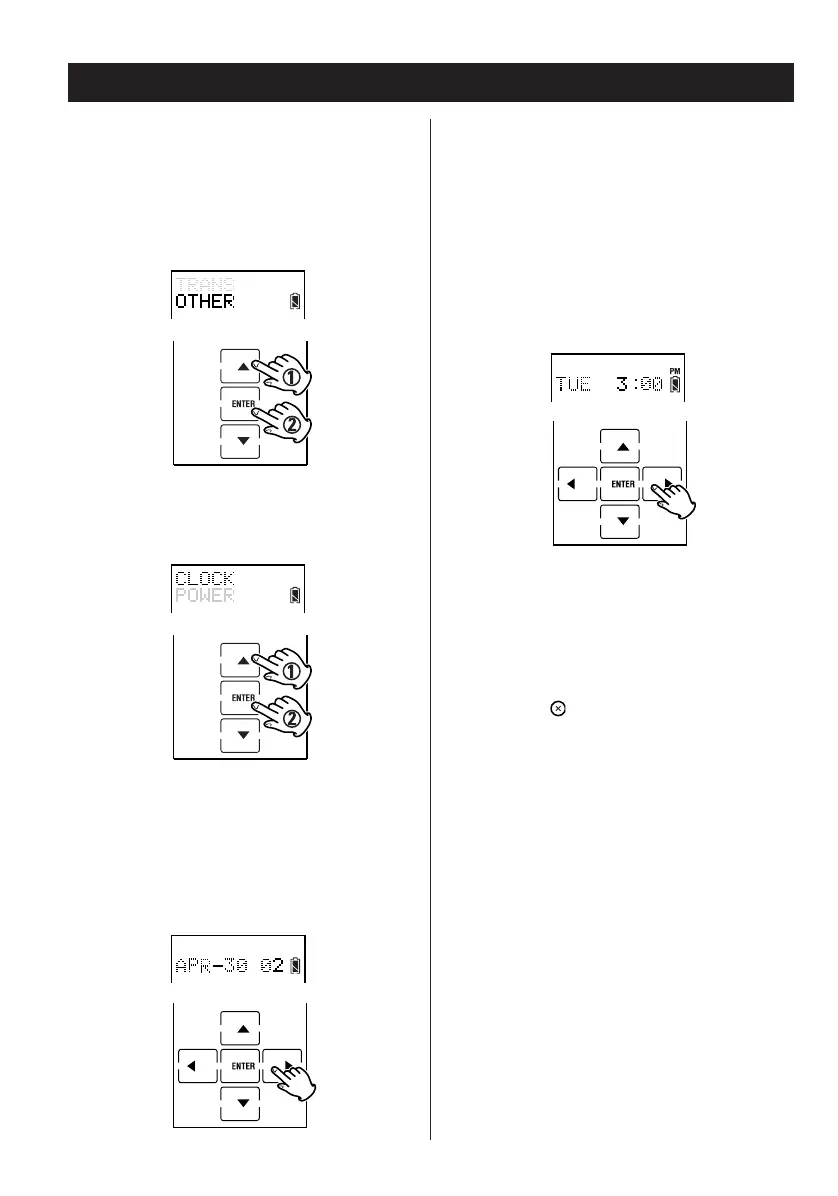
1. Enter the setup mode.
2. Press
5 or b to select OTHER and press
ENTER.
3. Press
5 or b to select CLOCK and press
ENTER.
4. Set Month, Date and Year.
Setting Date:
< Press g or t move the cursor.
< Press 5 or b to change the data.
5. Press ENTER.
6. Set Hour and Minute.
Week Day is determined automatically by
linking the entered date to the calendar.
Setting Time:
< Press g or t move the cursor.
< Press 5 or b to change the data.
7. Press ENTER.
8. Press the button repeatedly to exit and
return to the previously displayed screen
layout.
Display Date and Time
When not in setup mode, press and hold the PAGE
button for more than one second. Date and time
appear at the top of the display.
When you release the button the display returns to
the normal display screen.


 To Next Page