ENGLISH FRANÇAIS ESPAÑOL
29
Other Settings 2
Auto Power OFF
Auto power off is available to save the batteries by
turning off the unit when not used for a specified
amount of time.
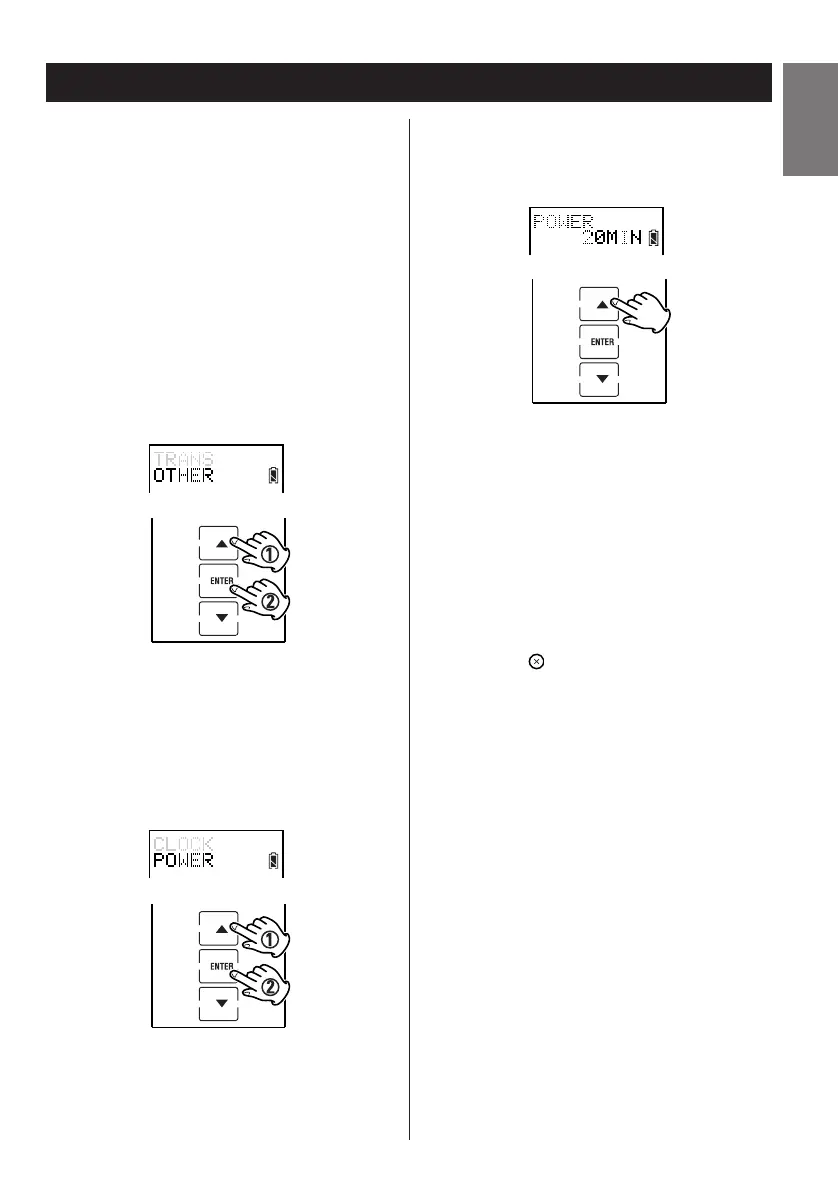
1. Enter the setup mode.
2. Press
5 or b to select OTHER and press
ENTER.
3. Press
5 or b to select POWER and press
ENTER.
4. Press 5 or b to select a waiting time from
1– 90 minutes.
5. Press ENTER to save and complete the
setting.
6. Press the button repeatedly to exit and
return to the previously displayed screen
layout.


 To Next Page