Setting a Device 2
26
Re-labeling a Device
You can change the device label once set on the
unit.
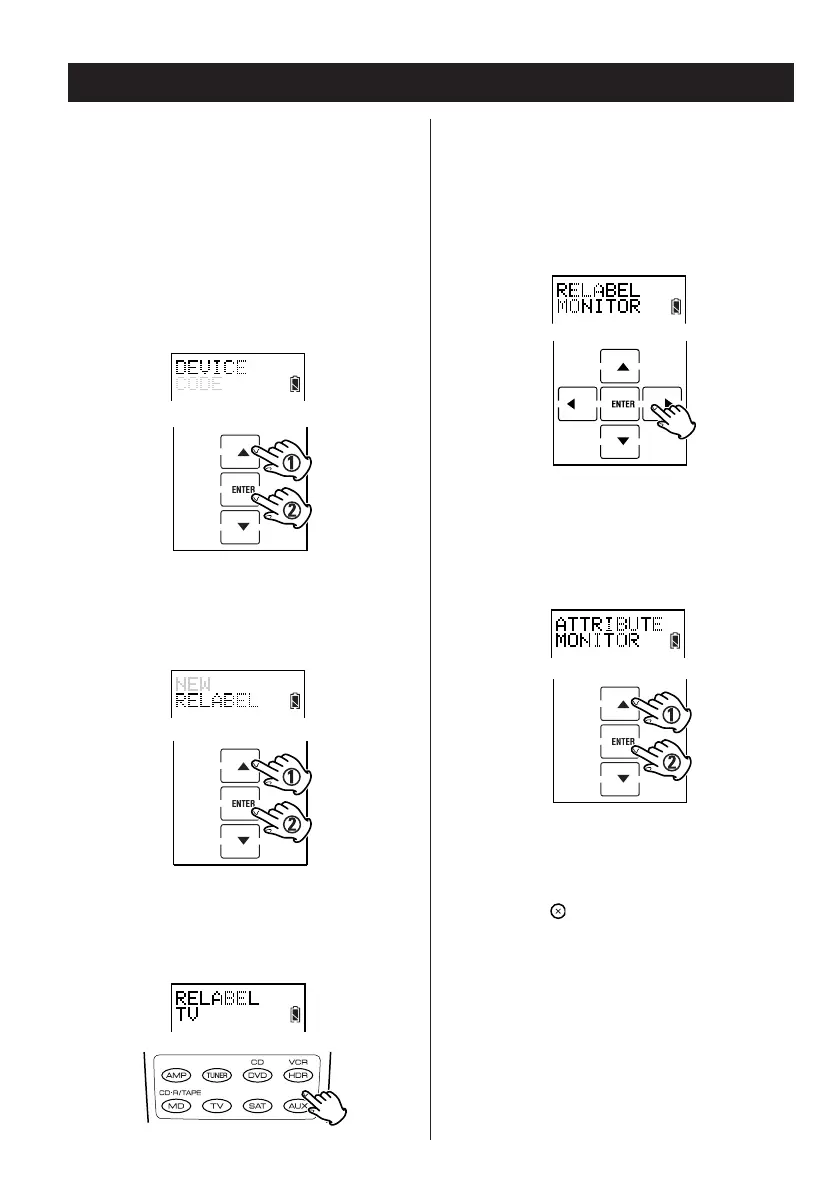
1. Enter the setup mode.
2. Press
5 or b to select DEVICE and press
ENTER.
3. Press
5 or b to select RELABEL and press
ENTER.
4. Press the device button to select the device
you want re-label.
5. Edit device label and press ENTER.
Editing the label:
< Press g or t to move the cursor.
< Press 5 or b to scroll through the characters:
A – Z, /, ?, –, 0 – 9 and space.
6. Press 5 or b to select device attribute and
press ENTER.
7. Press the button repeatedly to exit and
return to the previously displayed screen
layout.


 To Next Page