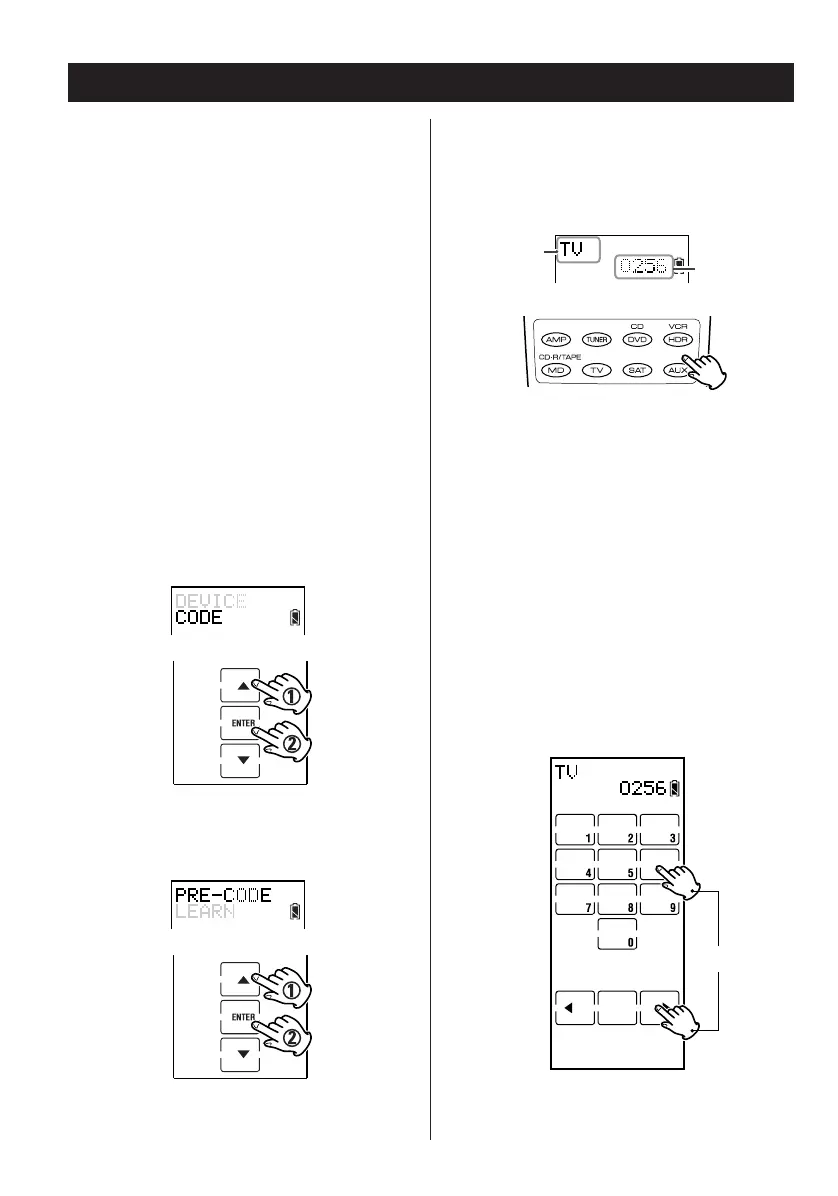
4. Press a device button to select a device. The
device name and a device 4-digit code
appear in the display.
5. Enter the desired 4-digit code. See the
attached sheet for a list of pre-codes.
< Using the numbered keys on the touch screen,
enter a 4-digit code from the pre-programmed
code list on the attached sheet.
OR
< After selecting a device, you can also use the
g and t keys to scroll through available
device 4-digit codes.
8
Setting Key Codes 1
Pre-programmed Code Setting
If the remote controlled component is a TEAC
product (that is listed in the pre-programmed code
list) or a TV, these pre-programmed code settings
are already available in the remote control. By just
selecting a code, your RC-L800/RC-L2 emulates the
original remote control. There are two methods to
select these devices, Manual and Auto. These
methods are described below.
Note:
A very small number of functions or keys may not
be emulated properly.
Manual
1. Enter the setup mode.
2. Press
5 or b to select CODE and press
ENTER.
3. Press 5 or b to select PRE-CODE and press
ENTER.


 To Next Page