ENGLISH FRANÇAIS ESPAÑOL
27
Setting a Device 3
Deleting a Device
When you wish to delete a device that is no longer
used, delete the device with the following steps.
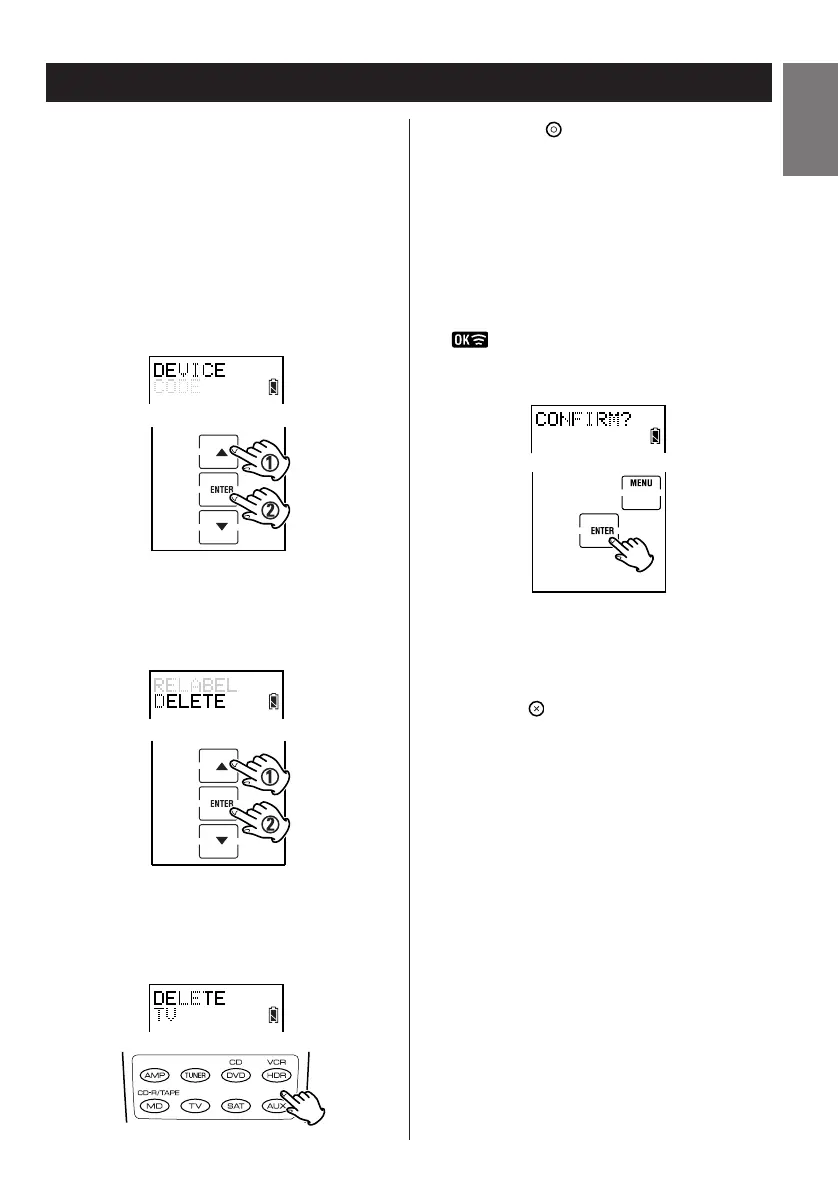
1. Enter the setup mode.
2. Press
5 or b to select DEVICE and press
ENTER.
3. Press
5 or b to select DELETE and press
ENTER.
4. Press the device button to select the device
you wish to delete.
5. Press the button. A confirmation
message appears.
6. Press ENTER to delete the device. Press
MENU to escape the deletion.
is displayed when a device has been
deleted.
7. Press the button repeatedly to exit and
return to the previously displayed screen
layout.


 To Next Page