Other Settings Table
Item Name Settings Action
Screen Saver OFF/ 1 min~30 min Select
Photo Display Setup List / Thumbnail Switch
Slide Show Time 1 sec ~ 3 min Select
Music Auto Play Repeat All/ OFF/ One Time Select
Video Resume Playing Ask/Always/Off Switch
Play Next Video Enable/Disable Switch
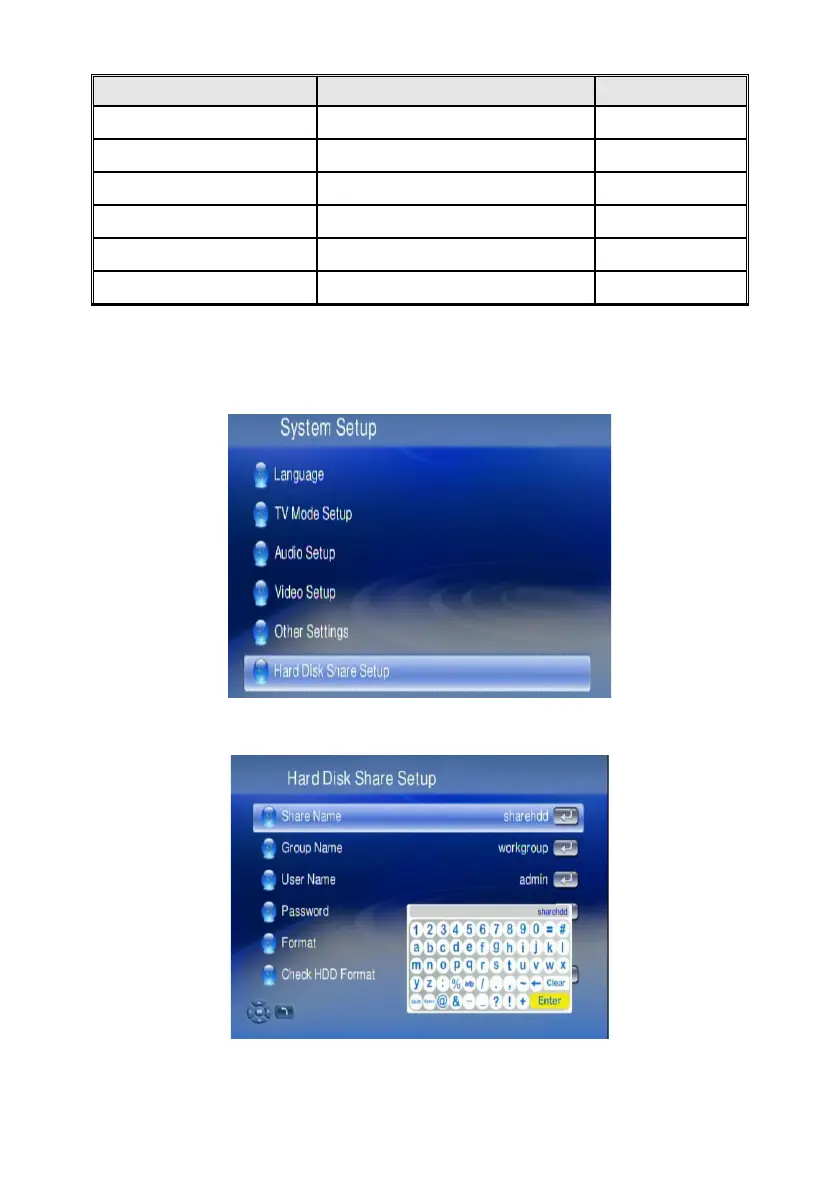
Hard Disk Share Setup
If you have installed a Hard Disk Drive into your WAP-V6000, you can see the “Hard
Disk Share Setup” here to configure your HDD Settings.
You can rename the default Share Name, Group Name, User Name and Password
by onscreen keyboard.
To format the HDD, select the “Format“ function.
75



 To Next Page