7. CASHIER SIGNING OR CASHIER KEY OPERATIONS EO1-11154
7.3 Cashier Interrupt Operation
7- 6
5. Depressing the [RECEIPT ISSUE] (Post-receipt) key after finalizing each cashier’s own entries will print and
issue a receipt of his/her entries. The post-receipt of each cashier’s entries is available any time after
finalizing his/her own entries until another sale is started by his/her Cashier Key.
Example: Cashier 1 first starts a sale.
Cashier 2 next interrupts the sale, enters items, and finalizes his sale portion.
The receipt is not taken.
Cashier 1 then resumes his suspended sale.
Cashier 3 next interrupts the sale, enters items, and finalizes his sale portion.
The receipt is not taken.
Cashier 1 again resumes his suspended sale and finalizes his sale portion.
The receipt (for the Cashier 1 portion) is taken.
In this case, Cashier 2 and/or Cashier 3 can issue the receipt of his sale portion by turning on his own
Cashier Key and depressing the [RECEIPT ISSUE] key even after the sale finalization and receipt
issuance by Cashier 1.
6. A program option provides a selection of Itemized Receipt or Total-only Receipt for the post-receipt.
However, when data exceeds 30 lines, a Total-only Receipt is always issued regardless of the selection.
7. The Cashier Interrupt Operation is not possible during an R/A, PO, or short-tendering operation sequence.
8. None of R/A, PO, No-sale, Previous Balance (Manual Entry type), All Void, Non-add Number Print at starting
of a sale, and Salesperson Entry are possible during a sale interrupted by a cashier or cashiers.
9. When the Cashier Interrupt has been selected by the program option, none of All Void, Salesperson Entry,
Non-add Number Print at starting of a sale can be operated.
10. The Customer Count of each department is not processed when the Cashier Interrupt option is selected.
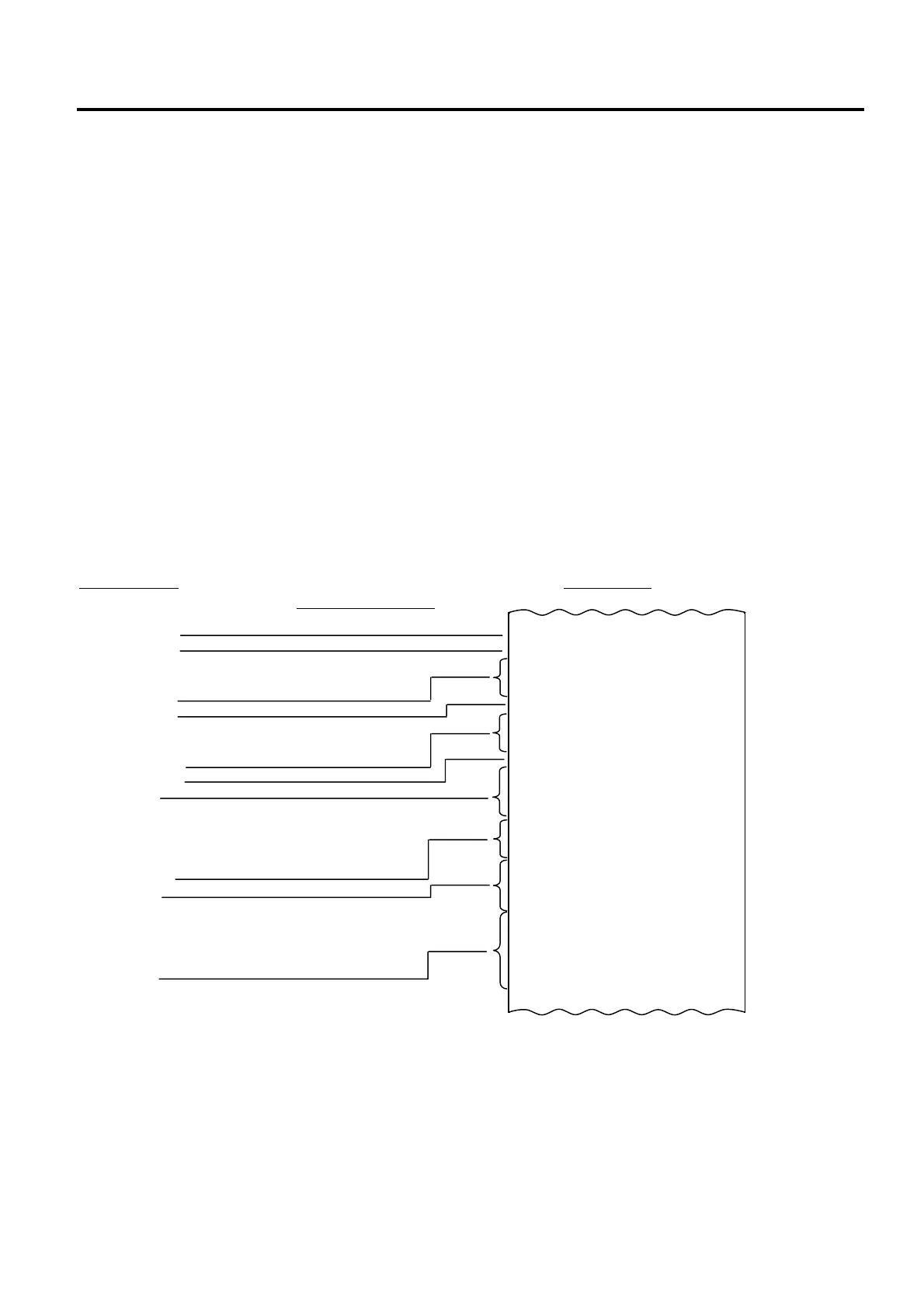
-- PRINT FORMAT WITH AN OPERATION EXAMPLE AT CASHIER INTERRUPTION --
Key Operation
Journal Print
Journal Print Timing
Cashier 1 Key ON
100 [DP 1]
200 [DP 2]
Cashier 1 Key → Cashier 2 Key
300 [DP 3]
400 [DP 4]
Cashier 2 Key → Cashier 3 Key
100 [PLU 1]
200 [PLU 2]
[AT/TL]
[RECEIPT ISSUE]
(issues Receipt (A))
Cashier 3 Key → Cashier 2 Key
500 [DP 5]
[AT/TL]
[RECEIPT ISSUE]
(issues Receipt (B))
Cashier 2 Key → Cashier 1 Key
[AT/TL]
[RECEIPT ISSUE]
(issues Receipt (C))
NOTE: When the Cashier key is switched and the first item is entered, multiple lines are printed.
Item Description:
(1) Cashier 1 entry start time
(2) Interruption Mark
(3) Cashier 2 previous sale subtotal amount
(4) Cashier 1 previous sale subtotal amount
DP
01 €1,00
DP
02 €2,00
1CL 18:30TM
********************************
DP
03 €3,00
DP
04 €4,00
2CL 18:31TM
********************************
PLU000001 €1,00
PLU000002 €2,00
CASH €
3,00
ITEM 2
3CL 0123 18:32TM
********************************
SUBTL €7,00
DP
05 €5,00
CASH €
12,00
ITEM 3
2CL 0122 18:31TM
********************************
SUBTL €3,00
CASH €
3,00
ITEM
1CL 0121 18:30TM
(1)
(2)
(3)
(4)
(1)


 To Next Page
 Loading...







