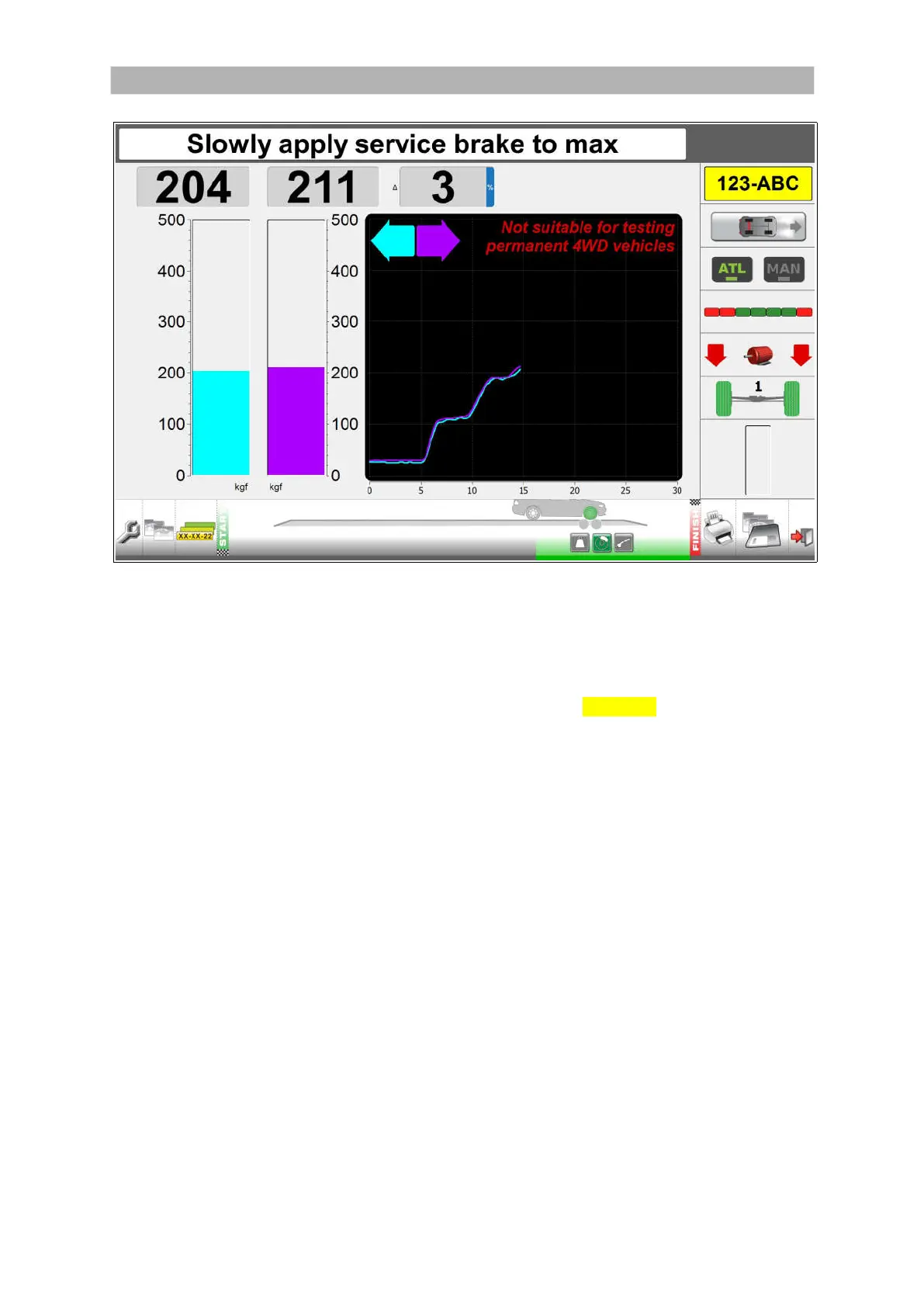
General layout of the test lane screens (continued)
-----A
-----B
-----C
-----D
-----E
-----F
-----G
-----H
The icons and buttons along the right side of the test screens allow you to control and
monitor the tests.
AREA FUNCTION
A Registration number of the vehicle being tested or ??-??-?? in quick test mode.
B Vehicle type: passenger car.
If applicable it shows 4x4.
If applicable it shows the parking brake axle in red.
C Manual button: The system stops at the end of each test, and you must
manually select the next test.
Manual mode is enforced for class 1 & 2, class 3, class 4 (4x4 selectable).
D ATL: All tests automatically.
Automatic mode is disabled for class 1 & 2, class 3, class 4 (4x4 selectable).
E Progress bar: the bar is red/green when a test is in progress and green when
the test is stopped.
F Motor icon: the motor is red when any motor in the test lane is running and
green when all motors are stopped.
The left arrow indicates when the left brake tester motor is running.
The right arrow indicates when the right brake tester motor is running.
G Axle: the number above the axle shows which axle of the vehicle is being tested:
1= front axle, 2 = rear axle, 3 = rear axle (class 7 only). When the floor unit
detects that the wheels are in position, the wheels are shown in green.
H Pause bar: the bar fills up when the system is pausing between tests. In
automatic mode only.
17


 To Next Page