Chapter 11 General settings
In This Chapter
General settings Test tab 44
General settings General tab 45
General settings Limits Tab 45
When you select the button with the tool icon in the lower left corner of the screen, the
General settings appear. This screen has three tabs.
General settings Test tab
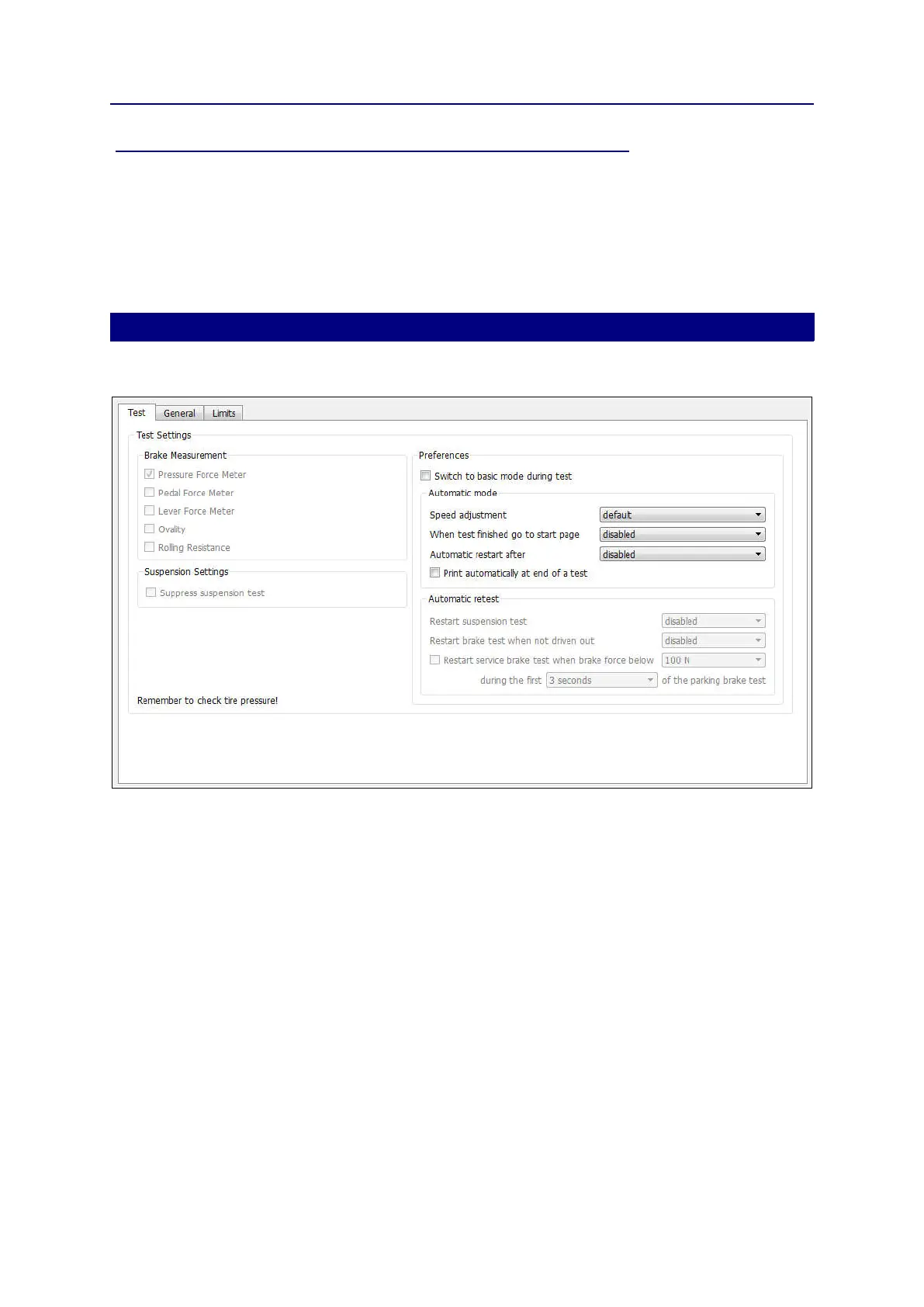
On the Test tab you can change settings that are used in the test run.
The Brake Measurements. Disabled. Not supported for the UK.
The Suspension Settings. Disabled. Not supported for the UK.
In the Preferences part you can select the following:
Switch to basic screen mode during test: in basic screen mode the icons at the bottom
and the right side of the screen are hidden. This allows for more room for the test results.
Automatic mode (all tests run automatically), Speed adjustment: if you set Speed
adjustment to for example 10%, the delay between two tests is extended with 10%. The
default value results in a delay that is long enough for an experienced user.
When test finished go to start page: set the time the program shows the Results
Overview until it returns to the start page. If disabled, the program does not return to the
start page at the end of the test.
Automatic restart after: set the time the program waits until it restarts the test. If disabled,
it does not restart the test. Automatic restart clears the last results.
Automatic retest: Disabled. Not supported for the UK.
44



 To Next Page