Perform a test
See “Preparations before starting a brake test” on page 25 .
When presented in “Italic”, this indicates a prompt on the screen.
The imbalance is measured automatically at maximum force during the brake force test of
an axle.
For an accurate measurement, the brake force has to be built up slowly.
Press Enter to start clears all previous results.
In ATL mode, the operator is guided through the test by means of prompts on the screen.
Step 1: Select a vehicle from the queue.
See “Add a vehicle to the test queue” on
page 22 for instructions.
Mandatory fields for a correct ATL test:
Make
Model
Registration number
Class type: M1, 4, 7, 5L
Parking brake type: front or rear
Service brake type: Dual line or
single line.
The limits are automatically linked.
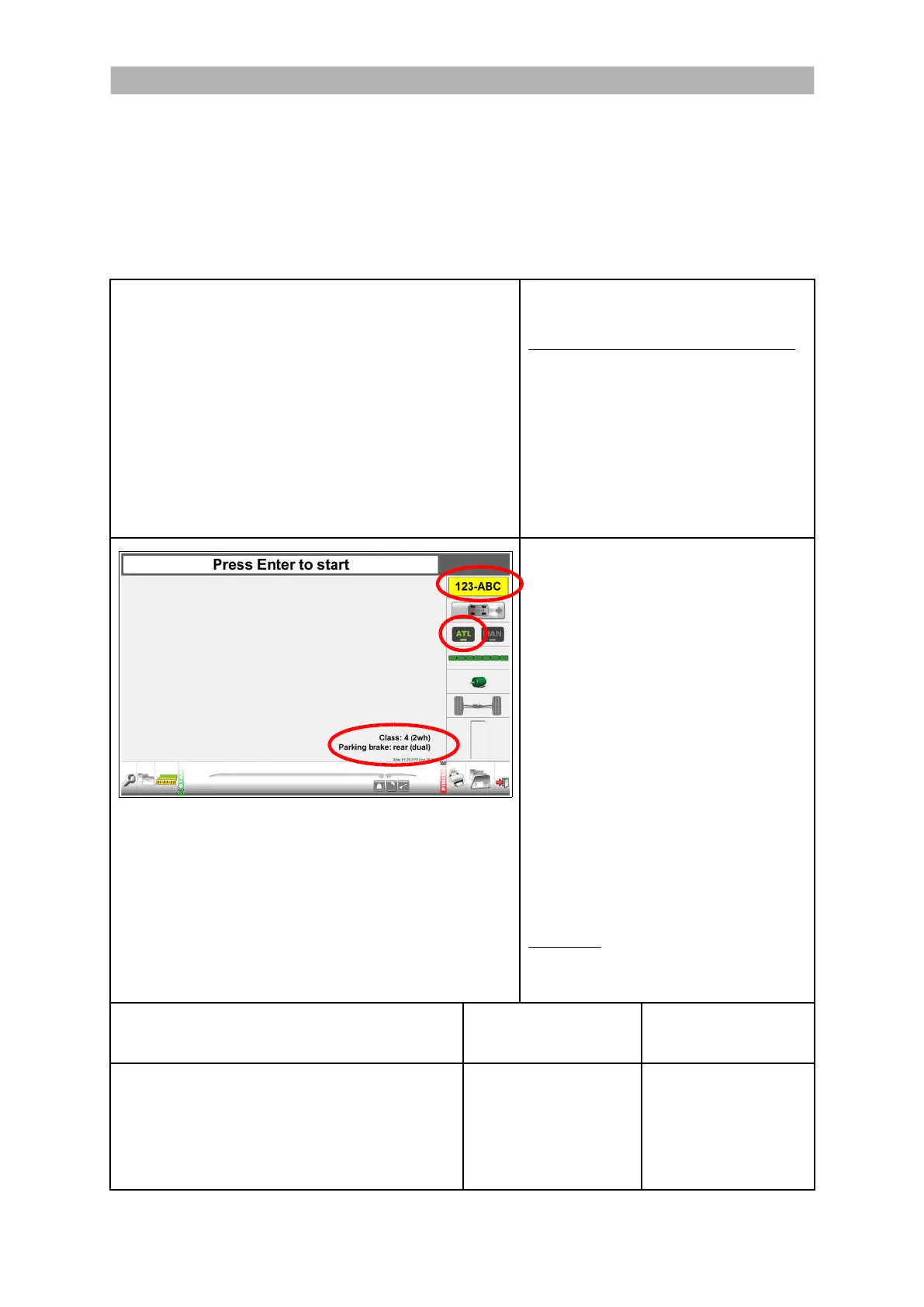
The registration plate icon shows the
registration plate of the selected vehicle.
Select ATL for automatic test.
“Class: 4 (2wh), Parking brake: rear
(dual)” is presented.
From the start screen:
Press OK to start the first test.
Follow the instructions on the screen.
Prompts for Bind, Rate of Increase,
Fluctuation and Rate of Decrease
appear during the service brake test
front axle and service brake rear axle.
The prompt for Grab appears during the
parking brake test (single line braking
system only).
Attention: Rollers start automatically
without interference of the remote
control or keyboard.
SPECIFIC TEST
(PARKING BRAKE ON FRONT AXLE)
CLASS M1, 4
TEST SEQUENCE #
CLASS 5L, 7
TEST SEQUENCE #
Weighing front axle
Service brake/imbalance test front axle
Parking brake/imbalance test front axle
Weighing rear axle
Service brake/imbalance test rear axle
1
2
3
4
5
-
1
2
-
3
39


 To Next Page